
 ACTIVE INTEGRATION
ESO + First Arriving
The integration with First Arriving and ESO offers many possibilities for displaying your data on your Digital Dashboards. ESO offers an integrated suite of software products for Fire & EMS agencies,
ESO NERIS
Put live call volume, response-time performance, open reports and recent incidents from ESO NERIS on the screens in your stations, with no manual entry and no exported spreadsheets.
What Connects
Call volume and type
Live call counts with a breakdown by call type, as running totals and as charts, so the shape of your call load is visible without anyone running a report.
Turnout performance
Turnout times measured against your own target, including an at-a-glance gauge, so crews see how they are tracking rather than hearing about it later.
Incomplete reports
Which reports are still open and who they belong to, on the wall where the person who owns it will see it.
Recent incidents and map
Recent calls with their detail, plotted on a map of your response area.
Steps
Confirm your NERIS access
You need ESO NERIS enabled on your ESO account.
Request API access from ESO
Ask your ESO representative to enable API access for First Arriving.
Send us credentials
We connect the feed and build your screens around the data you want shown.
See It In Action
ESO Scheduling
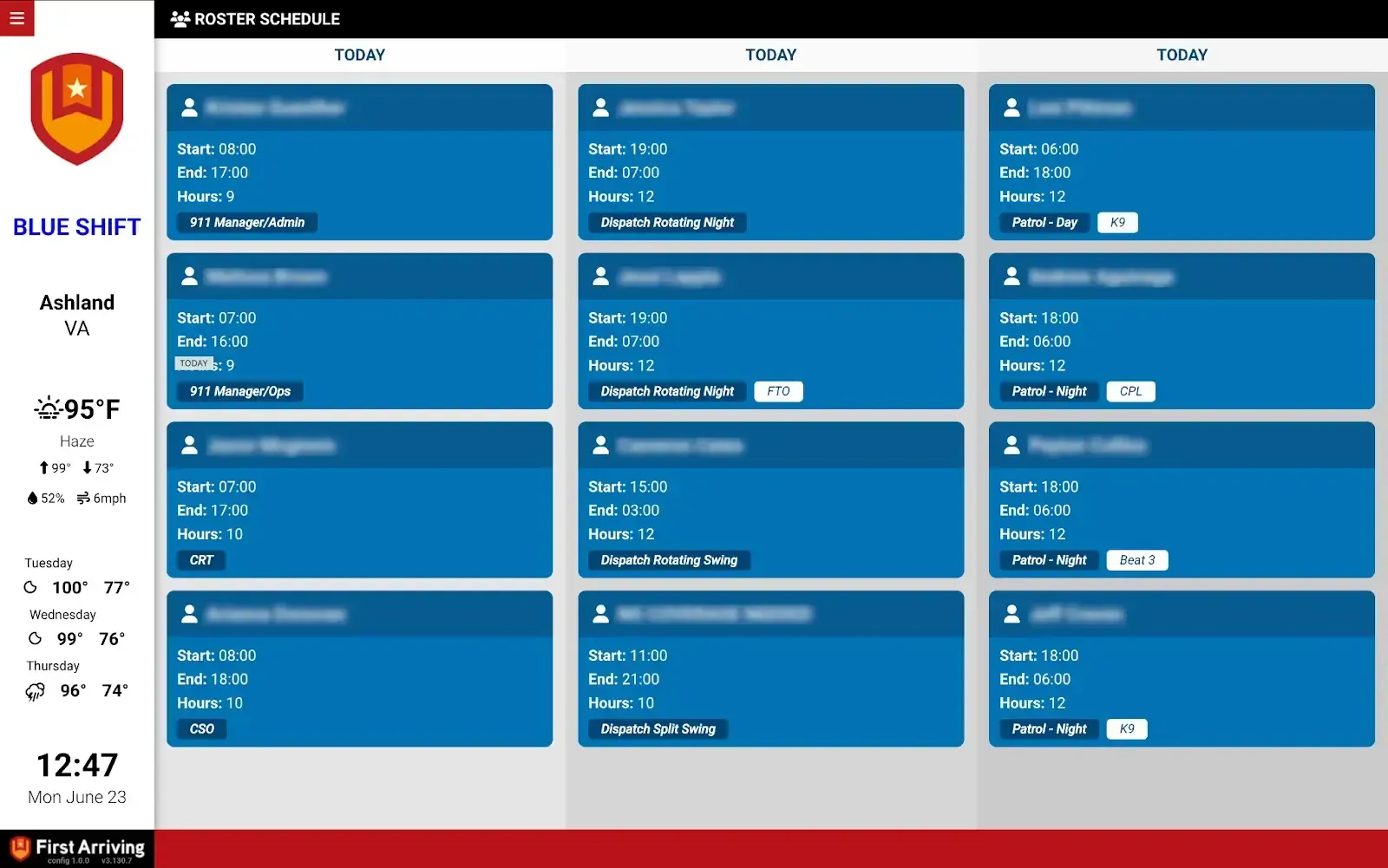
First Arriving’s Integration With ESO Scheduling Allows Agencies Who Are Part Of The ESO Ecosystem To Show The Daily And Upcoming Roster On Their Dashboards. This Increases Visibility As To What
What Connects
Today’s roster
Who is on right now (name, position, and start and end time) on the screens in your stations.
The days ahead
The same roster looking forward, up to seven days out, so crews can see what is coming rather than asking.
Steps
Things we need
Three things from your ESO account: the Customer ID, a password for API access, and your Vendor Key.
Send us credentials
We connect the feed and build your screens around the data you want shown.
Additional Note
Please note that Data / API access could be an additional charge by the vendor. This is determined by the vendor and not by First Arriving.
See It In Action
Frequently asked questions
What ESO data can First Arriving show?
From ESO NERIS: call volume and type, turnout performance against your own target, incomplete reports, and recent incidents on a map. From ESO Scheduling: today’s roster and up to seven days ahead. From Firehouse Software by ESO: department events, hydrants out of service, turnout time dials, maintenance requests, the daily roster and call totals. From SafetyPad by ESO: ePCR data such as turnout times, incident details and hospitals transported to. It all shows on screens in your stations, workplaces and offices, on desktops and on the go.
What ESO NERIS data can we put on our screens?
Live call counts broken down by call type, as running totals and charts. Turnout times measured against your own target, with an at-a-glance gauge. Which reports are still open and who owns them. And recent calls with their detail, plotted on a map of your response area.
How do we connect ESO NERIS?
ESO NERIS must be enabled on your ESO account. Ask your ESO representative to enable API access for First Arriving, then send us the credentials. We connect the feed and build your screens around the data you want shown.
What does the ESO Scheduling integration show?
Who is on right now (name, position, and start and end time), plus the same roster looking forward up to seven days, so crews can see what’s coming rather than asking.
What do we need to connect ESO Scheduling?
Three things from your ESO account: the Customer ID, a password for API access, and your Vendor Key.
Can First Arriving show data from Firehouse Software by ESO?
Yes. Department events, hydrants out of service, turnout time dials (by unit, station, battalion or department), requests for maintenance, the daily roster, and call totals month or year to date. It works whether you run Firehouse on-premise or in Firehouse Cloud; we coordinate with your team, or with Firehouse Cloud support, to get the data flowing.
Can First Arriving show ePCR data from SafetyPad by ESO?
Yes. Turnout times (total calls in a time frame, calls under your target time, and average turnout and enroute times), incident details (response code, nature of the call, unit, medication given, hospital, and date and time), and the hospitals transported to with patient counts. To connect, send us the API URL and key that SafetyPad provides you.
Does ESO charge for API access?
Data or API access could carry an additional charge. That is determined by ESO, not by First Arriving.
Support Center
Full setup details for ESO