
 ACTIVE INTEGRATION
Google Calendar + First Arriving
First Arriving puts your Google Calendar events on screens in your stations, workplaces and offices, on desktops and on the go, in an easy-to-read calendar or feed: shift schedules, meetings, training, public events and leadership availability. Events update based on Google updates.
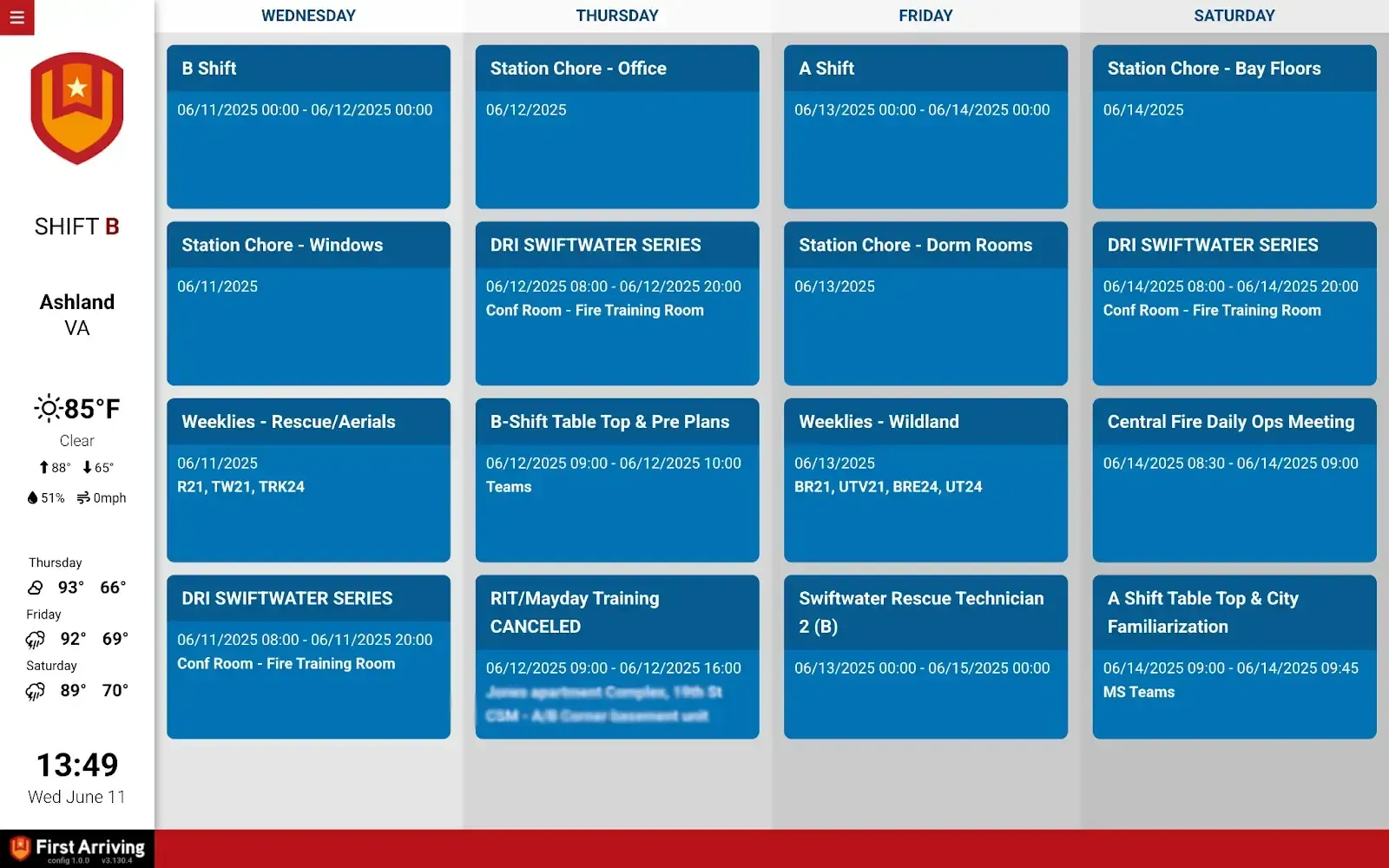
✅ Supports single-day, multi-day, multi-week and month-long views
✅ Connects to one or more individual user calendars
✅ Events update based on Google updates
✅ Optional keyword-based color coding or full calendar color themes (e.g replace blue w/ another color)
✅ Combine multiple calendars into one page or multiple
✅ Showcase staffing, upcoming training, upcoming events, PubEd events and more
What Connects
Your Google Calendar data on the wall, desktop, and in every pocket.
Multiple view formats
Single-day, multi-day, multi-week, and month-long views.
Multi-calendar support
Connects to one or more individual user calendars.
Automatic updates
Events update based on Google updates.
Custom color coding
Keyword-based color coding or full calendar color themes.
Combine calendars
Merge multiple calendars into one page, or spread them across several.
Showcase what matters
Staffing, upcoming training, upcoming events, PubEd events, and more.
Sample Views
See it on the dashboard.
Live in three steps.
The Google calendar needs to be set to Public
The events on the calendar need to be set Public
Go to the Settings and Sharing section of the calendar you wish to use and look under “Integrate Calendar” to find a Calendar ID (looks like an email address) then send us the Calendar ID.
Frequently asked questions
What views can we use?
Single-day, multi-day, multi-week and month-long views, in a calendar or feed format. Showcase staffing, upcoming training, upcoming events, PubEd events and more.
Can we combine and color-code calendars?
Yes. Connect one or more individual user calendars, merge them onto one page or spread them across several, and add keyword-based color coding or full calendar color themes.
What setup is needed?
The Google calendar and its events must be set to Public. Then find the Calendar ID under Integrate Calendar in the calendar's Settings and Sharing section, and send it to us.
Support Center
Full setup details for Google Calendar