What’s Wrong with How Most Departments Run Briefings Today?
The traditional shift briefing has the same format it’s had for decades: verbal delivery of the most pressing information, supplemented by paper printouts or emails read aloud. The common failure points:
Not everyone gets the same information. Verbal briefings are delivered once, to whoever is present. Officers who arrive late, roll over from another shift, or are in the field miss it entirely.
Paper goes unread. A BOLO printed and handed out at briefing may end up on the passenger seat and never truly absorbed.
The sergeant is a bottleneck. Every update that needs to reach officers has to flow through one person in one ten-minute window.
Critical context gets lost by end of shift. A unit flagged as out of service, a suspect description from earlier in the shift, an active situation — this information often doesn’t carry forward reliably to the next briefing.
How Digital Dashboards Change the Information Environment
Dashboard systems for law enforcement pull data from the agency’s existing systems — CAD, RMS, scheduling, fleet management, crime analysis platforms — and surface it in one place on squad room screens and officer desktops and mobile devices.
Before the Briefing
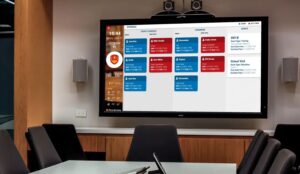
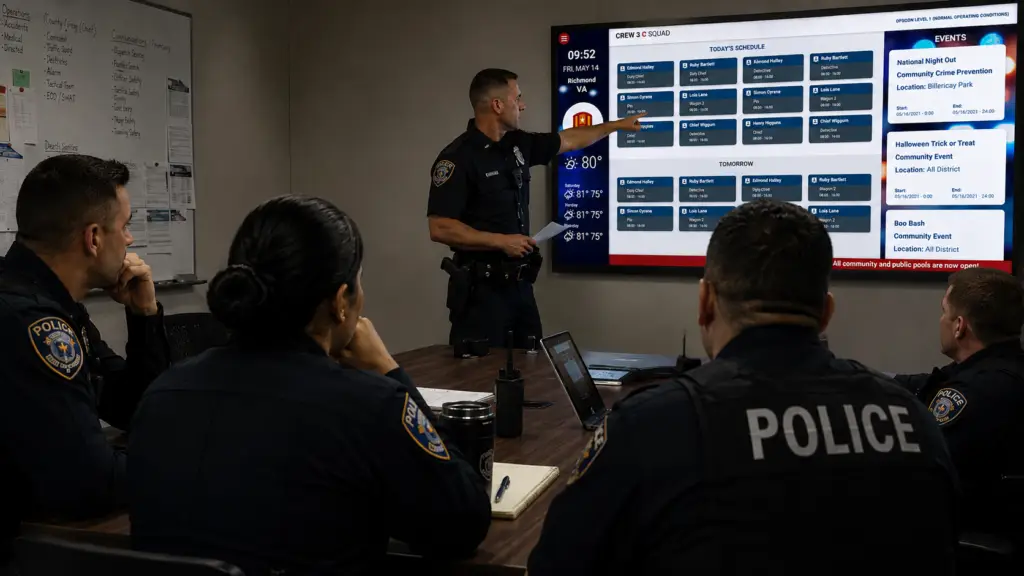
Officers arriving for shift see on the squad room display:
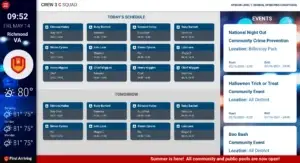
- Staffing and assignment status — who’s on, what unit they’re assigned to, any coverage changes
- Overnight activity summaries — high-priority incidents from the previous shift, active investigations with new information
- Active BOLOs and alerts — visible on screen rather than waiting to be read aloud
- Court dates and details for the shift
- Equipment and fleet status — which vehicles are available, any apparatus out for maintenance
The sergeant walks in to a room where officers already have context. The briefing becomes a conversation about priorities rather than a download of basic facts.
During the Briefing
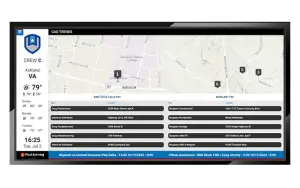
The dashboard display serves as a visual backdrop — reinforcing what’s being discussed rather than competing with it. A sergeant pointing to a suspect photo on screen is more effective than describing it verbally. A map showing the active incident cluster from last night’s patrol is immediately understood.
After the Briefing
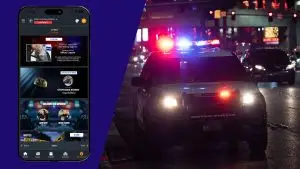
The information doesn’t disappear when officers leave the room. Desktop and mobile access means officers can reference the day’s BOLOs and active investigations from their vehicle, and supervisors can push time-sensitive updates to all screens simultaneously.
What Departments Are Actually Putting on Their Dashboards
Based on deployed law enforcement configurations, the most commonly used modules include:
- Scheduling and staffing — daily roster, unit assignments, overtime and vacancy visibility
- CAD incident feeds — active calls, unit status, response time metrics
- Crime intelligence and analytics — integration with crime analysis platforms for patterns, hot spots, and activity summaries
- Court and details — daily court schedules, special detail assignments, subpoena tracking
- BOLO and alert management — visual display of active alerts, suspect information, and lookouts
- Fleet and equipment status — vehicle availability, maintenance status, equipment assignments
- Training and certification tracking — certification expirations, upcoming training, required acknowledgements
- Internal communications — announcements, policy updates surfaced through the display rather than email
What a Texas Police Department Found After Deploying Dashboards
A Texas police department recently deployed First Arriving dashboards across their 58-person organization and found that the briefing room dynamic changed almost immediately. The information that used to be delivered verbally — often incompletely — was now visible before officers arrived. The shift briefing became faster, more focused, and more useful.
The department noted that getting information “repeated, and shown on a screen instead of just relying on word of mouth or them expected to read their email” made a measurable difference in information uptake across shifts.
Frequently Asked Questions
Does the dashboard replace the shift briefing? No — it enhances it. The sergeant still runs the briefing. The dashboard ensures the information environment before, during, and after briefing is richer and more accessible.
Can we control what appears on the squad room screens? Yes. Administrators control display content through a web-based interface. Different screens can show different content, and role-based access allows shift supervisors to manage their own station’s information.
How does this integrate with our RMS and CAD systems? First Arriving integrates with most major law enforcement CAD and RMS platforms. Integration compatibility is confirmed as part of the evaluation process.
What about sensitive or restricted information? Display content is configured by role and location. Sensitive investigative information that shouldn’t be on a public-facing or lobby screen is restricted to appropriate displays.
What does implementation look like? Most law enforcement deployments are operationally active within 2–4 weeks.
The shift briefing doesn’t need to be the only moment officers receive critical information. Departments that build an information environment that works all shift — before briefing, during briefing, and in the field — operate with the clearest picture of what’s happening and what matters.