
 ACTIVE INTEGRATION
Active911 / ActiveAlert + First Arriving
First Arriving’s integration with Active911 is among the most popular ways to display call alerting and other updates pushed through Active911.
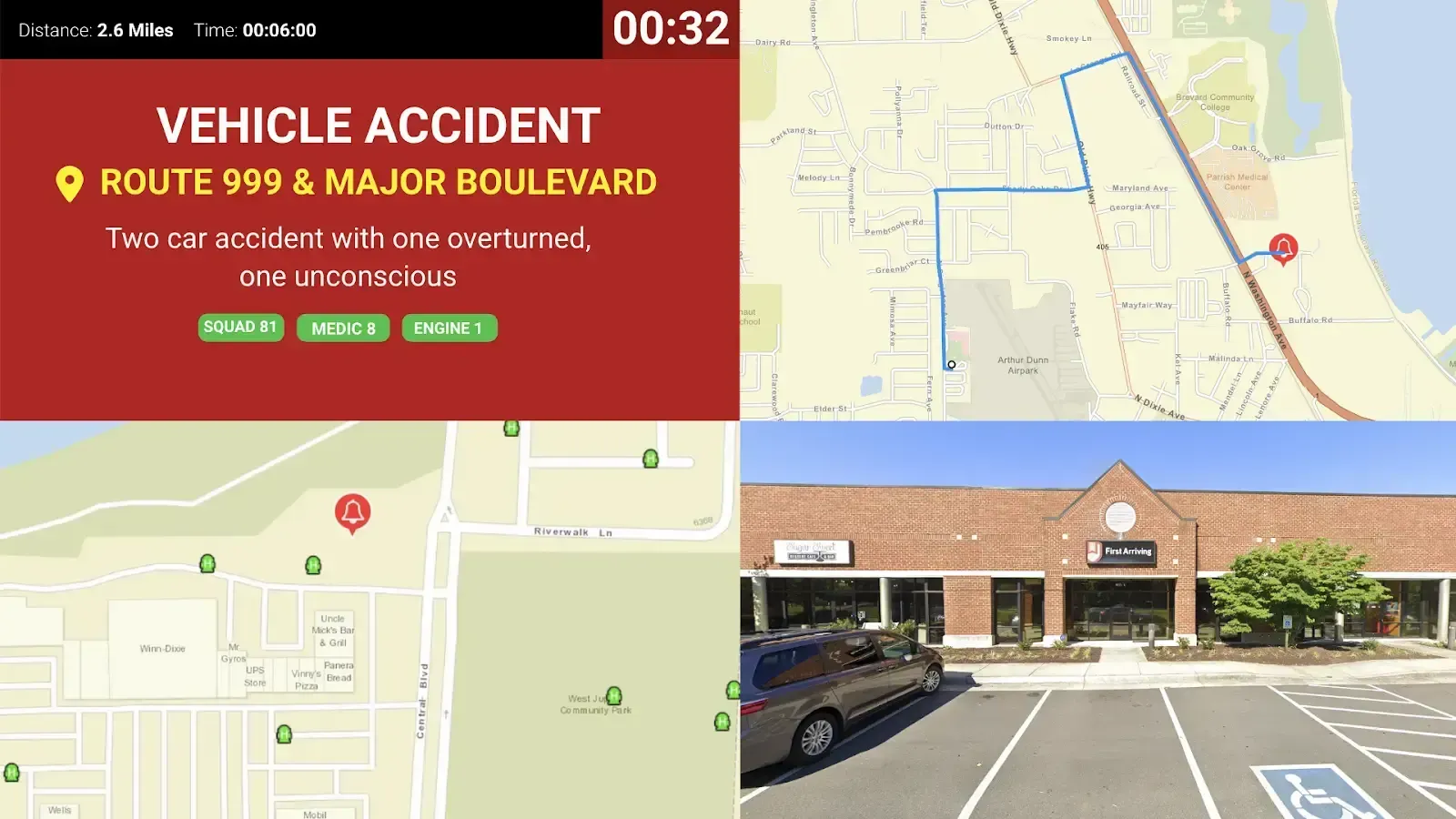
What Connects
Your Active911 Dashboard Integration data on the wall and desktop
Real-time call dispatch
Calls the moment they drop, with the nature of call, address, units dispatched and call notes.
Personnel responding
Mapping
Directions from station to scene, with hydrant locations, Google Street View, and ESRI layers.
Response timing
A turnout timer, plus ETA and distance to the call.
Custom alarm tones
Listen to examples.
Sample Views
See it on the dashboard.
Live in three steps.
01
You'll need an Active911 account
02
Request an API key from Active911
We'll provide instructions specific to First Arriving once you sign up for service.
03
Tell us which Page Groups you want displayed
Support Center
Full setup details for Active911 / ActiveAlert