
 ACTIVE INTEGRATION
CAD / Dispatch Feeds + First Arriving
First Arriving puts your CAD and dispatch data on your wall screens and desktop views of your wall dashboards: incident details, location, mapping, and unit and personnel assignments. It takes standard CAD feeds, partner APIs or parsed dispatch emails. It's secondary alerting; your CAD stays primary.
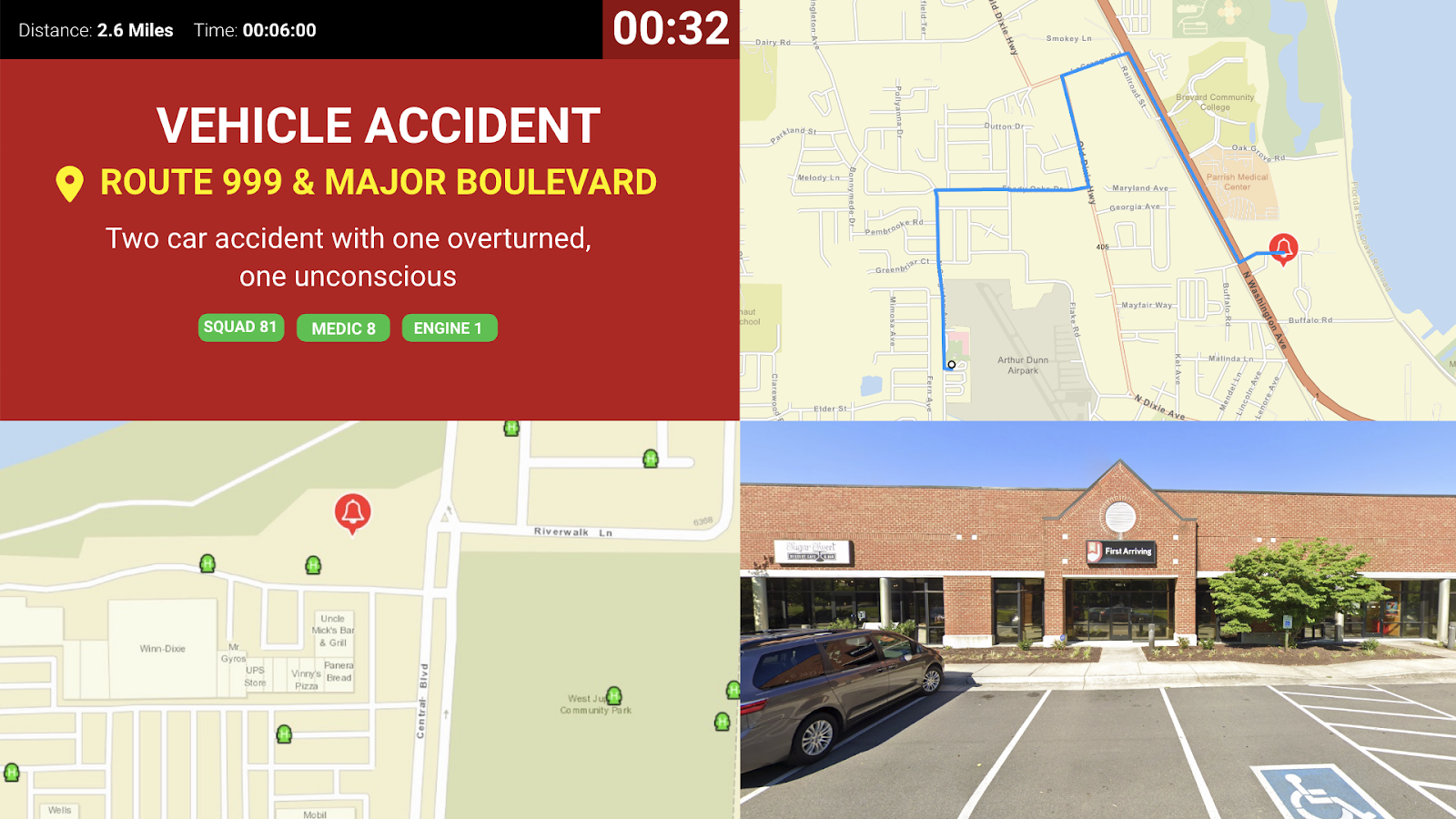
Sample Views
See it on the dashboard.
Key Features
How your CAD or dispatch data can reach First Arriving.
What Connects
Multiple Input Methods
Accepts standard CAD feed formats, partner APIs (such as Active911), or parsed emails.
Rich Alert Content
Transmits incident details, location coordinates, mapping, unit / personnel assignments, and more.
Live Mapping
Supports Google Maps and ESRI layers for real‑time visualization.
Resource Monitoring
Displays unit availability, AVL positions, hydrant locations, hospital status, and other CAD metrics.
Internet‑Based Delivery
Works anywhere with an internet connection, ideal for mobile or station dashboards.
Configurable Filtering
Route specific incident types or units to selected devices or stations.
What We Can Show
Data can include a wide array of information for both emergency alerting and non-emergency information, depending on the feed and content available to be provided to us, including:
What Connects
Real-time notification of alerts or calls of varying type, including details, location, mapping, unit and/or personnel information and more.
Alerts can include incidents, department-wide notifications, emergency updates and more.
Units available, AVL feeds, units in and out of service, hydrants and other key metrics from CAD.
Hospital or other facility/resource statuses.
More: if you’ve got the data, we can likely make it work.
Email Parser Options
Don’t have a direct feed or CAD access, or utilize one of our partners’ services? We can ingest an email to display your alerting or call data. In those cases, we typically need:
Steps
We’ll provide you with an email address to send us the data from your dispatch center or other appropriate party.
The body of the email should include the key information of the alert.
For incidents, the body will typically include the nature of the call, location, and unit identifiers to filter which devices get which alerts (especially across multiple stations).
Live in one step.
Answer a few questions about your CAD
What CAD you use (name and version), whether it can export call, unit, and other data to a third party and in what format, any additional charges your CAD vendor may apply, and whether your dispatch center allows sending this data to First Arriving.
Please keep in mind we should always be considered secondary alerting, we do NOT replace your CAD or dispatch. Our solution is Internet-based and relies on your CAD/dispatch service to send data.
Frequently asked questions
Which CADs does it work with?
Whatever your CAD, integration partner or dispatch center can provide: standard CAD feed formats, partner APIs such as Active911, email parsing, and CAD providers such as Motorola Flex, Locution and many others. To start, tell us your CAD name and version, whether it can export data to a third party and in what format, and whether your dispatch center allows sending it to First Arriving.
What if we don't have a direct CAD feed?
We can parse dispatch emails. We give you an email address to send the data to from your dispatch center; the email should carry the nature of the call, location, and unit identifiers so the right alerts reach the right devices and stations.
Does it replace our CAD or dispatch?
No. First Arriving is secondary alerting and does not replace your CAD or dispatch. It's Internet-based and relies on your CAD or dispatch service to send the data.
Support Center
Full setup details for CAD / Dispatch Feeds