
 ACTIVE INTEGRATION
ESO NERIS + First Arriving
Put live call volume, response-time performance, open reports and recent incidents from ESO NERIS on the screens in your stations, with no manual entry and no exported spreadsheets.
What Connects
Your ESO NERIS data on the wall, desktop, and in every pocket.
Call volume and type
Live call counts with a breakdown by call type, as running totals and as charts, so the shape of your call load is visible without anyone running a report.
Turnout performance
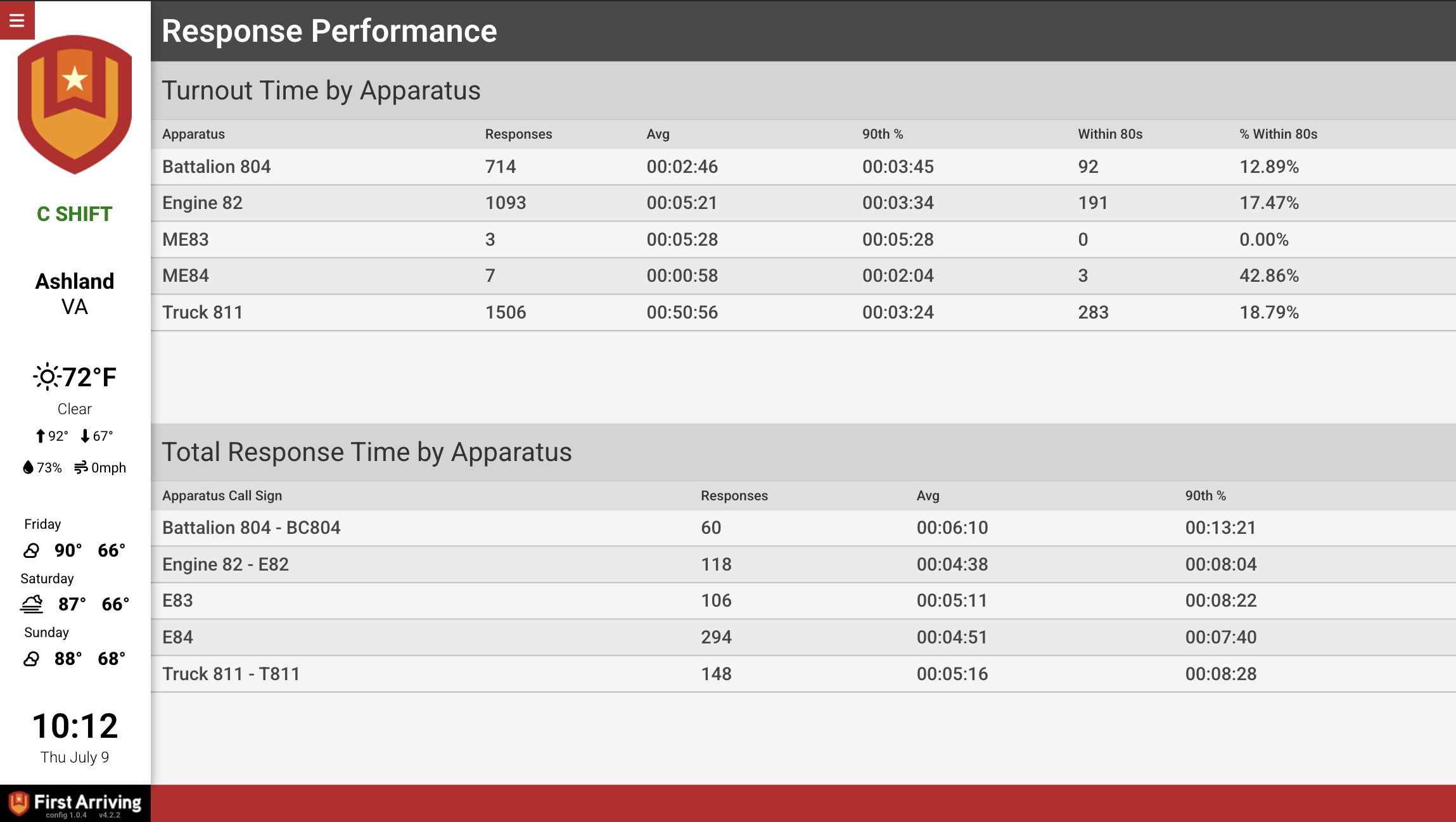
Turnout times measured against your own target, including an at-a-glance gauge, so crews see how they are tracking rather than hearing about it later.
Incomplete reports
Which reports are still open and who they belong to, on the wall where the person who owns it will see it.
Recent incidents and map
Recent calls with their detail, plotted on a map of your response area.
Sample Views
See it on the dashboard.
Live in three steps.
Confirm your NERIS access
You need ESO NERIS enabled on your ESO account.
Request API access from ESO
Ask your ESO representative to enable API access for First Arriving.
Send us credentials
We connect the feed and build your screens around the data you want shown.
Support Center
Full setup details for ESO NERIS