
 ACTIVE INTEGRATION
Facebook + First Arriving
First Arriving shows your agency's latest Facebook posts on screens in your stations, workplaces and offices, on desktops and on the go. Posts from the last 24 hours are highlighted as new, and post images display right on the dashboard.
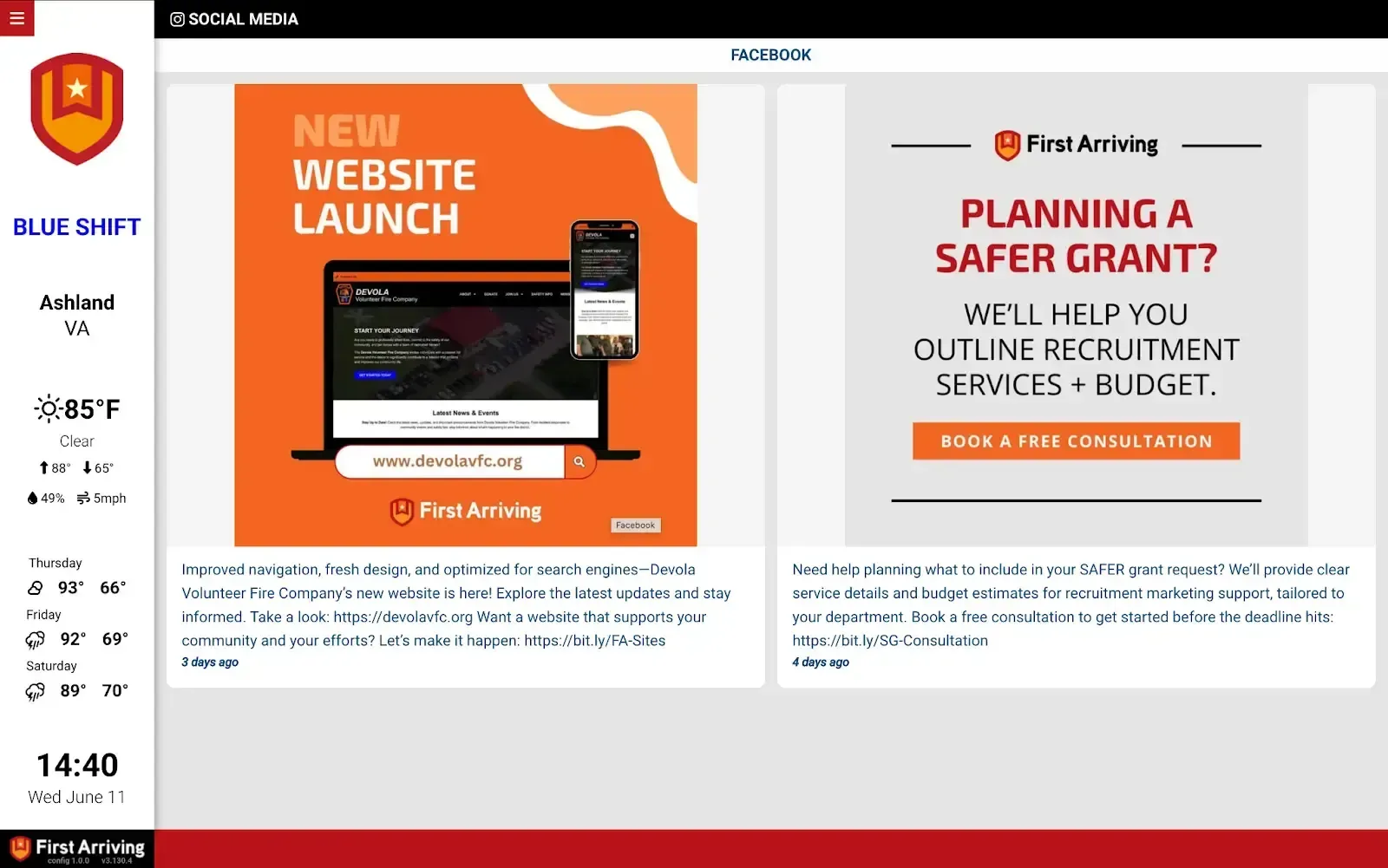
✅ Display latest posts from your agency’s Facebook page(s)
✅ Posts within the last 24 hours are highlighted to show that they are new
What Connects
Your Facebook data on the wall, desktop, and in every pocket.
Latest posts
Just the last post, the last 3, or everything from the last week.
New post highlighting
Posts within the last 24 hours are highlighted to show they're new.
Post images
Images associated with posts show directly on the dashboards.
Live in three steps.
Authorize the connection
You'll need admin rights on the Facebook page to authorize showing its posts on your dashboards.
Request setup instructions
We'll provide setup instructions when you're ready.
Additional Note
The authentication process sends us an API key once completed. Depending on your account settings or user type, the API key might not be submitted, in which case we cannot integrate.
Frequently asked questions
Which posts show up?
Latest posts from your agency's Facebook page or pages: just the last post, the last 3, or everything from the last week. Images associated with posts show directly on the dashboards.
How do crews spot new posts?
Posts from the last 24 hours are highlighted to show they're new. That works whether you show just the last post, the last 3, or everything from the last week.
What setup is needed?
Someone with admin rights on the Facebook page authorizes the connection, using setup instructions we provide when you're ready. Authorization sends us an API key; depending on your account settings or user type it might not be submitted, and in that case we cannot integrate.
Support Center
Full setup details for Facebook