
 ACTIVE INTEGRATION
Fire Engineering Training (LMS) + First Arriving
Put Fire Engineering training status on your station screens, updated every day, so officers and members can see who has courses overdue, due this week, or coming up in the next 30 days without logging into another system. Color-coded urgency and station-by-station views keep training visible every shift and help crews follow through without constant reminders.
What Connects
What Connects
Spot overdue training before it slips further
An Overdue & Due This Week view shows each member, the course, and its due date, with red marking overdue and amber marking due today.
Plan ahead with a 30-day look-ahead
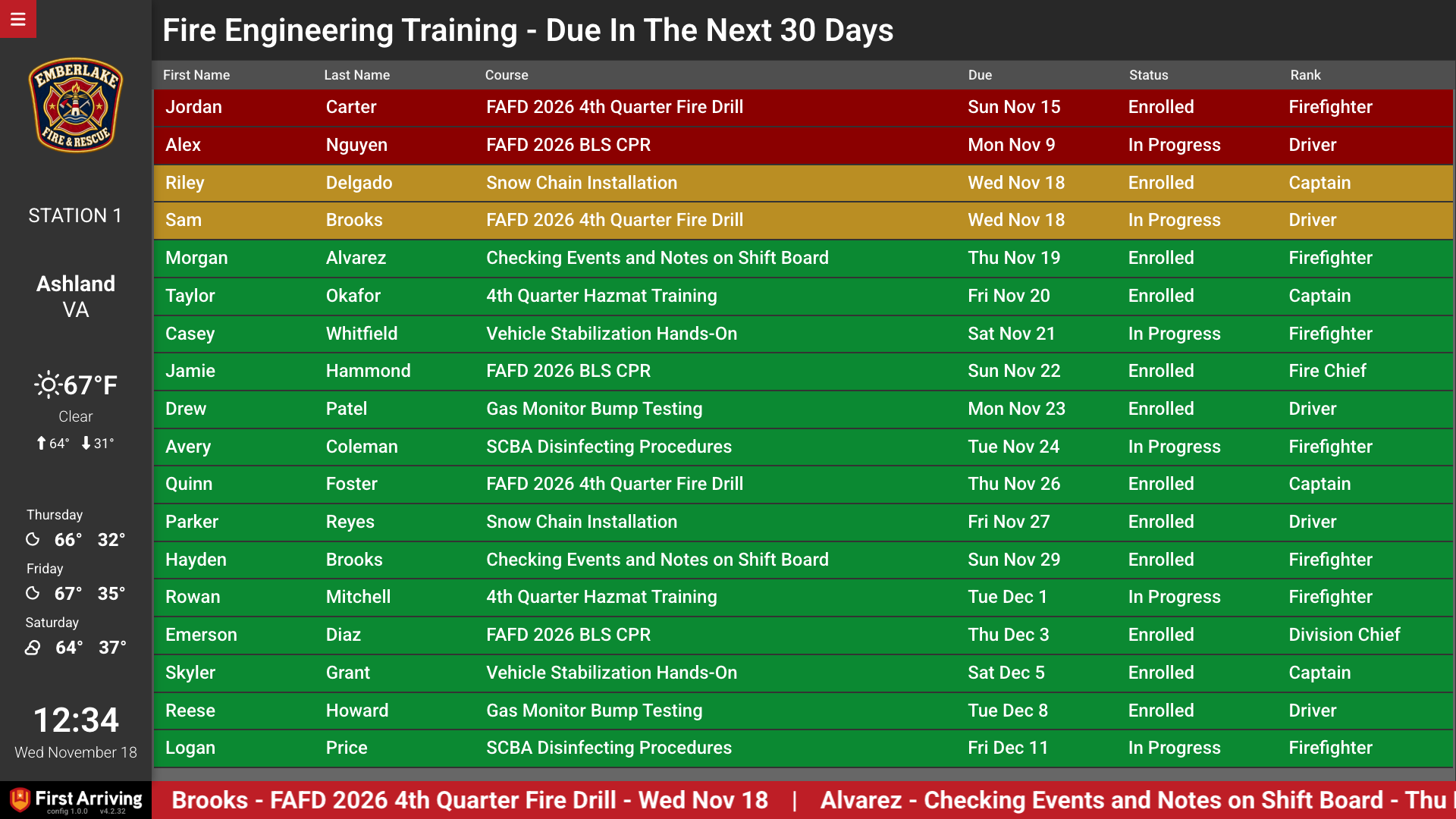
A Due in the Next 30 Days view shows upcoming courses early, so crews can schedule them before they become urgent.
Track courses in progress and open enrollments
See who is enrolled or in progress, for courses with or without due dates.
See outstanding training by station
Group outstanding training by station, with each member's company or unit and rank, so every house knows where it stands.
Read urgency at a glance
Color coding marks each item as overdue (red), due today (amber), or on track (green), and a scrolling ticker runs through upcoming due items.
Match the look of your dashboards
Pick light or dark themes and a sidebar or top-header layout to fit your station screens.
Sample Views
See it on the dashboard.
Live in three steps.
Contact Fire Engineering Training
Ask their support team to set up an automated training export to First Arriving.
Fire Engineering sends us the details
Their team tells us when your file is ready and gives us what we need to connect it.
See training on your screens
We add your training views to your station dashboards, and they update every day.
Support Center
Full setup details for Fire Engineering Training (LMS)