
 ACTIVE INTEGRATION
First Due + First Arriving
The integration between First Arriving and First Due provides real-time alerting, scheduling, and assets to your dashboards. First Due is passionate about ensuring public safety agencies around North America can take a giant leap forward in how information is used to plan for incidents, increase survivability, and derisk communities. By delivering a platform for collaboration and sharing, we are bridging the deadly information gap end-to-end, always keeping in mind the way First Responders and Emergency Managers work today.
Sample Views
See it on the dashboard.
Alerting
Provides real-time alerts for active incidents, giving teams instant access to critical call details while responding.
What Connects
Real-Time Call Information
(Address, Nature of Call, Address, Units Dispatched, Call Notes
Turnout Timer
ETA and Distance
Add custom alert sounds
Listen to examples
Mapping features
With route from station to scene, Google Street View, and ESRI layers.
ESRI layers
Steps
Get a Token
First Due must reach out to dashboards@firstarriving.com to request a token on your behalf. Reach out to your account manager at First Due to start the process.
See It In Action
Scheduling
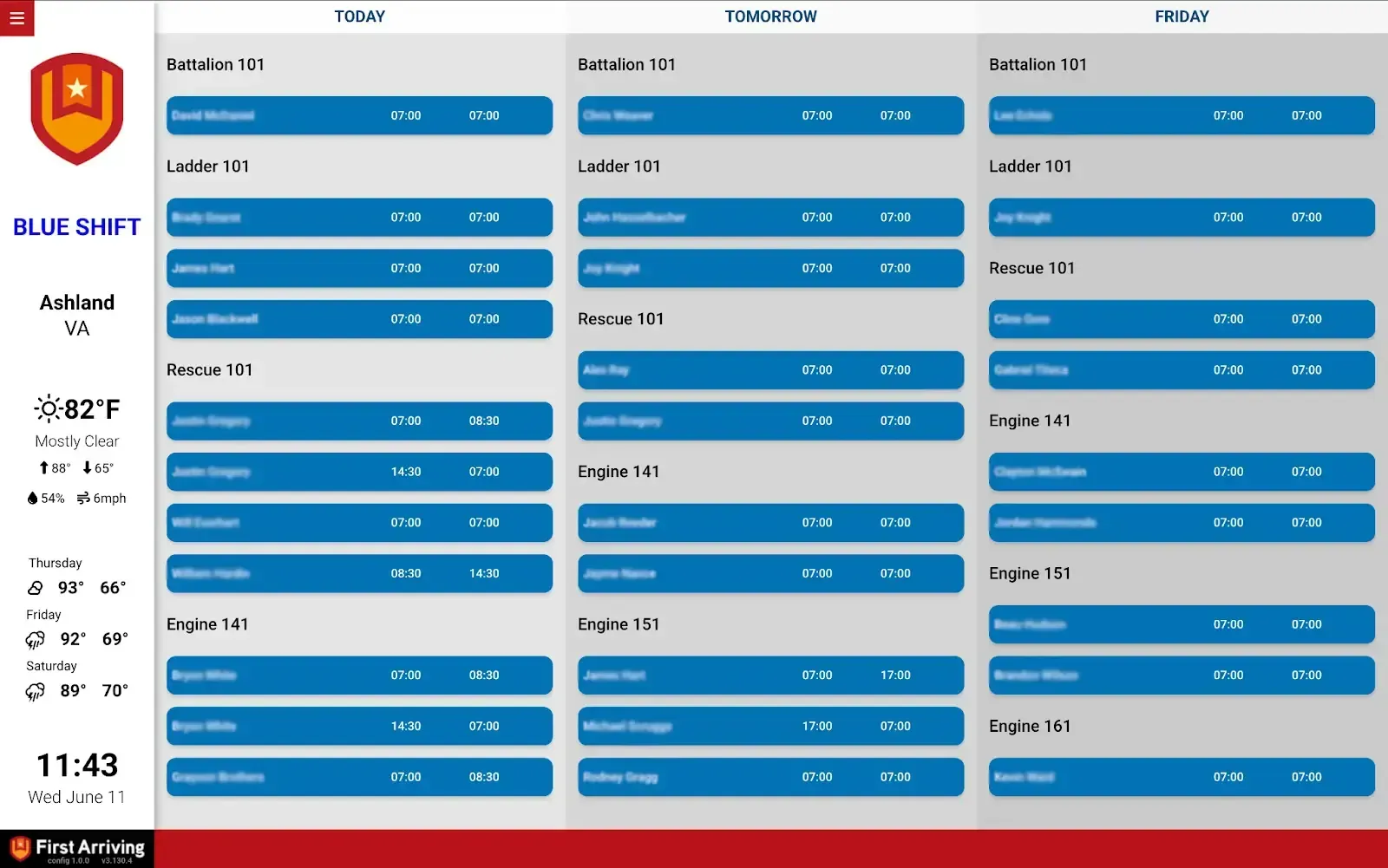
The First Due Scheduling Integration connects First Due’s scheduling and staffing data with First Arriving dashboards. It pulls rosters, shifts, and assignments into display-friendly formats that can be grouped, styled, and displayed next to other dashboard integrations.
What Connects
Roster Views
Supports both 1-day and multi-day roster views (e.g. Yesterday, Today, Tomorrow)
Grouping
by First Due Schedule Names (typically named by units)
Roles
by First Due Schedule Names (typically named by units)
Custom color coding
Per Unit or Position
Hide/Show
Hide/Show entries based on Schedule Name
Supported Group Views
Color-coding based on unit or position; sort entries based on Station, Schedule (Unit), Position, or Name
Supported Table Views
The Table View supports the following features: color-coding based on unit or position, and sorting entries based on Position or Schedule (Unit)
Steps
Shared URL
The URL to an external sharing link, which you can create from your First Due scheduling module. Contact your First Due account manager if you need help setting this up.
Get Link to Us
Email the link to dashboards@firstarriving.com - Or open a supoprt ticket.
API
Reach out to your First Due account manager for this option. We'll need username/password and such, emailed or via support ticket and we'll give you a secure link to send us information
See It In Action
Assets
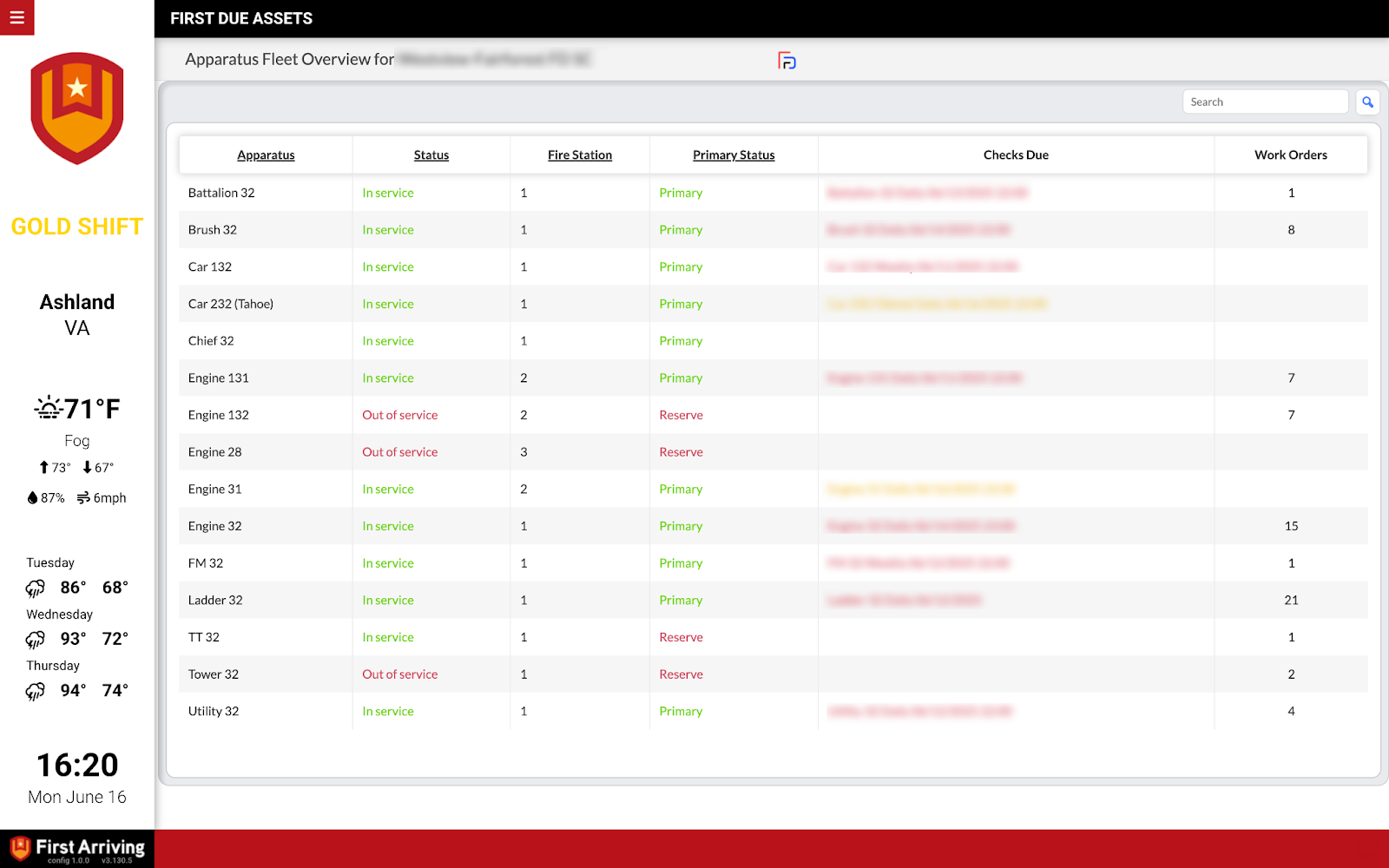
Allows you to manage and display equipment, apparatus status, and overdue tasks directly on your dashboard.
What Connects
Apparatus
Status
Overdue Checklist
Work Orders
Steps
External Sharing Link
The URL to an external sharing link, which you can create from your First Due asset module. Contact your First Due account manager if you need help setting this up.
Get it To Us
Email the link to dashboards@firstarriving.com or open a support ticket.
Additional Note
Please note that Data / API access could be an additional charge by the vendor. This is determined by the vendor and not by First Arriving.
See It In Action
Ad Hoc Reports
The flexible one. If the data lives in First Due and none of the integrations above covers it, a scheduled report can usually get it onto your dashboards.
What Connects
Anything First Due can report on
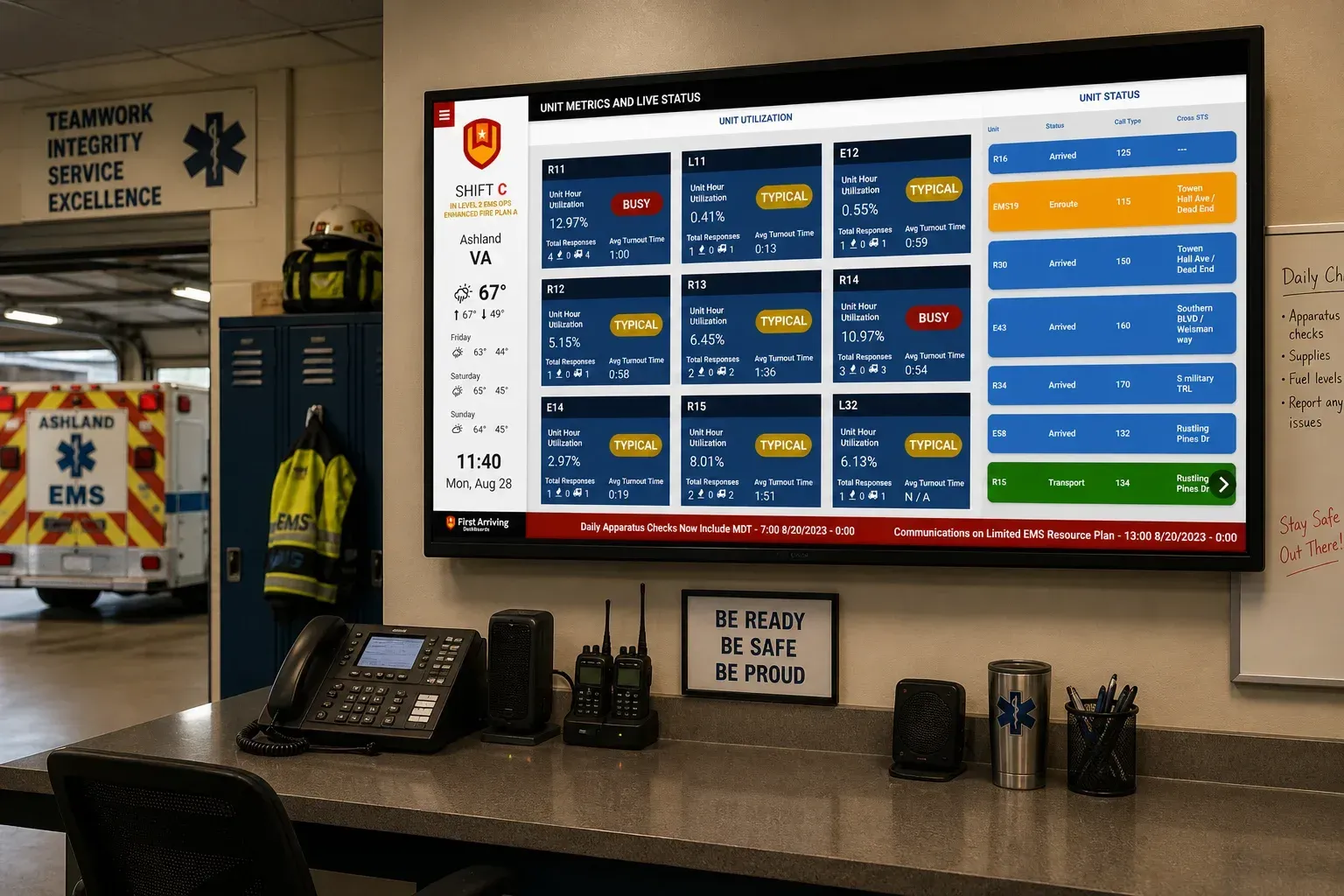
Build a report against the data you need and it can drive a display, such as an on-duty crew board from scheduling data.
Operational timestamps
Apparatus and incident timestamps for response-time statistics, delivered on the schedule you choose.
Recurring delivery
Reports run on a schedule and refresh the dashboard automatically, so nobody is exporting anything by hand.
Steps
Build the report
Create an Ad Hoc Report in First Due containing the fields your display needs: scheduling data for an on-duty crew board, or apparatus and incident timestamps for response-time statistics.
Put it on a schedule
Set the date range you want covered, such as the last three months, then choose how often it runs. Each delivery updates the dashboard on its own.
Send us credentials
We pick up each delivery and build your screens around it. Full setup detail, including report templates and criteria, is on our support center.
See It In Action
Frequently asked questions
What First Due data can First Arriving show?
Four things. Alerting: calls the moment they drop, with mapping, ETA and a turnout timer. Scheduling: who is on, grouped by unit or position. Assets: apparatus status, overdue checks and open work orders. Ad Hoc Reports: almost anything else in First Due, delivered on a schedule.
What do First Due alerts show?
Address, nature of call, units dispatched and call notes, plus a turnout timer, ETA and distance, and a route from station to scene with Google Street View and ESRI layers. You can add custom alert sounds. Alerts show on your wall screens and desktop views of your wall dashboards.
How do we set up First Due alerting?
Start with your First Due account manager. First Due then contacts dashboards@firstarriving.com to request a token on your behalf.
What can the First Due scheduling display do?
One-day and multi-day roster views (for example yesterday, today and tomorrow). Grouping by First Due schedule name, typically your units. Color coding per unit or position, show or hide entries by schedule name, and sorting by station, unit, position or name.
How do we connect First Due scheduling?
Create an external sharing link in First Due’s scheduling module and email it to dashboards@firstarriving.com, or open a support ticket. For the API option, talk to your First Due account manager, and we’ll send you a secure link for the credentials.
What asset information can we show, and how do we connect it?
Apparatus, status, overdue checklists and work orders. Create an external sharing link in First Due’s asset module and email it to dashboards@firstarriving.com, or open a support ticket.
What if the data we need isn’t covered above?
Use a First Due Ad Hoc Report. Build a report with the fields your display needs, such as scheduling data for an on-duty crew board, or apparatus and incident timestamps for response-time statistics. Then put it on a schedule, and each delivery updates the dashboard automatically.
Does First Due charge for API access?
Data or API access could carry an additional charge. That is determined by First Due, not by First Arriving.
Support Center
Full setup details for First Due