
 ACTIVE INTEGRATION
Google Street View + First Arriving
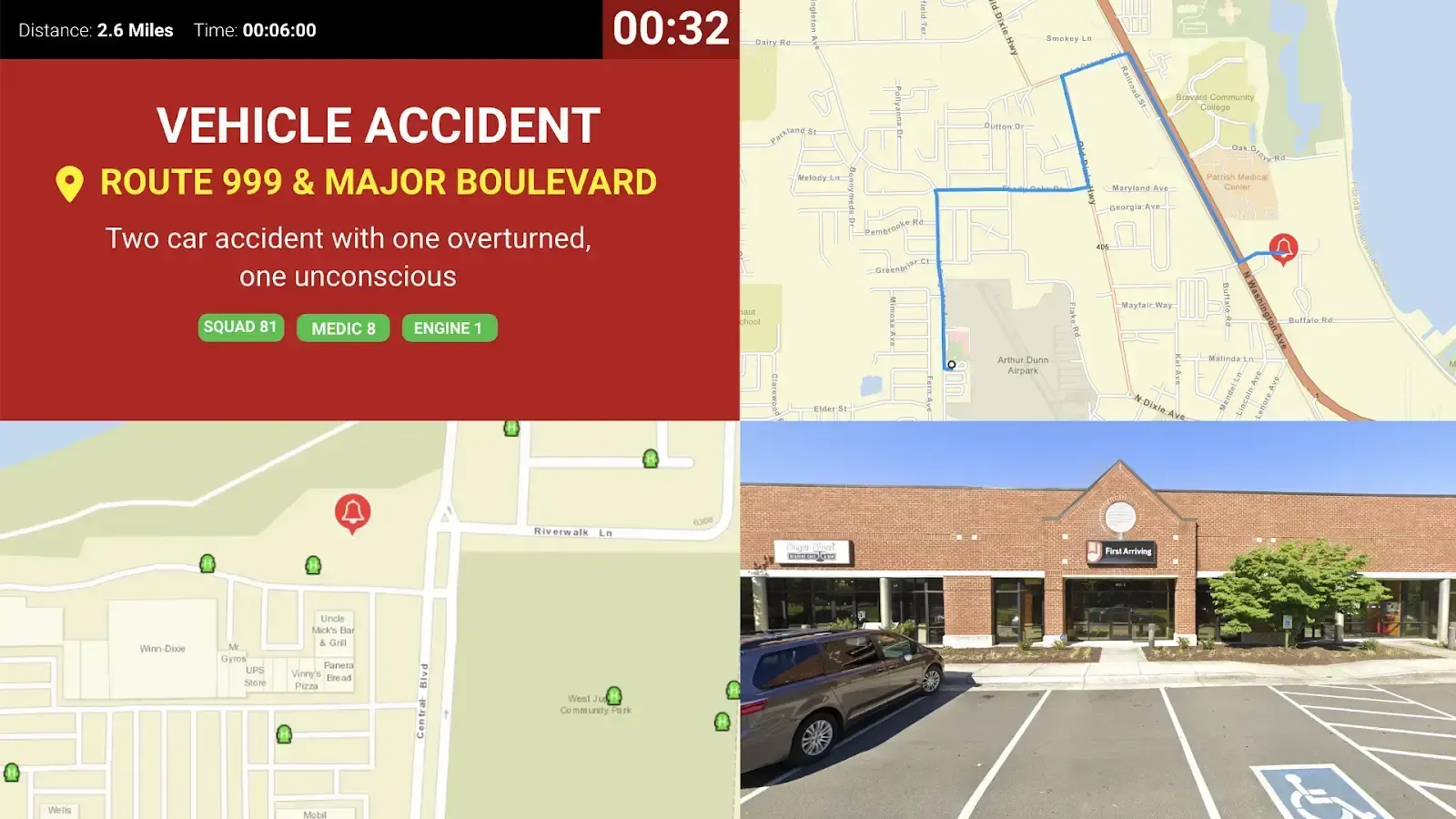
First Arriving's integration with Google Street View provides a static image of the address that you are responding to on your alarm screen. This allows responders to get a visual of what they are looking for when approaching the scene, improving situational awareness call after call.
What Connects
Your Google Street View data on the wall and desktop.
Static image from Google Street View
A still photo of the incident address, shown automatically with the alert.
Half or quarter screen display
Depending on other items on your alarm screen.
Interactive 360°
A panorama crews can pan and navigate, shown automatically alongside the alert. It gives a richer view of the same address on the screens where it adds the most value.
Sample Views
See it on the dashboard.
Live in three steps.
Send us your API key
Set up a Google Cloud Platform account
A credit card on file is required to complete setup (even inside the free allowance), and you must enable the Static Street View API.
Pricing and usage
Google gives every account 10,000 free still-photo images a month (resets on the 1st). That is about 330 calls a day, so most agencies stay well under it. Images beyond that cost $7 per 1,000. The 360° view has its own separate allowance: 5,000 free views a month, then $14 per 1,000 if you go over. Our recommendation: use still photos as your default and reserve 360° for the screens where crews benefit most from panning around the scene.
Support Center
Full setup details for Google Street View