
 ACTIVE INTEGRATION
inTime Scheduling + First Arriving
The integration between First Arriving and inTime Scheduling allows you to display scheduling data for your agency for up to 4 days. Easily make the right personnel decisions with InTime’s easy-to-use scheduling interface designed to simplify the complexities of public safety.
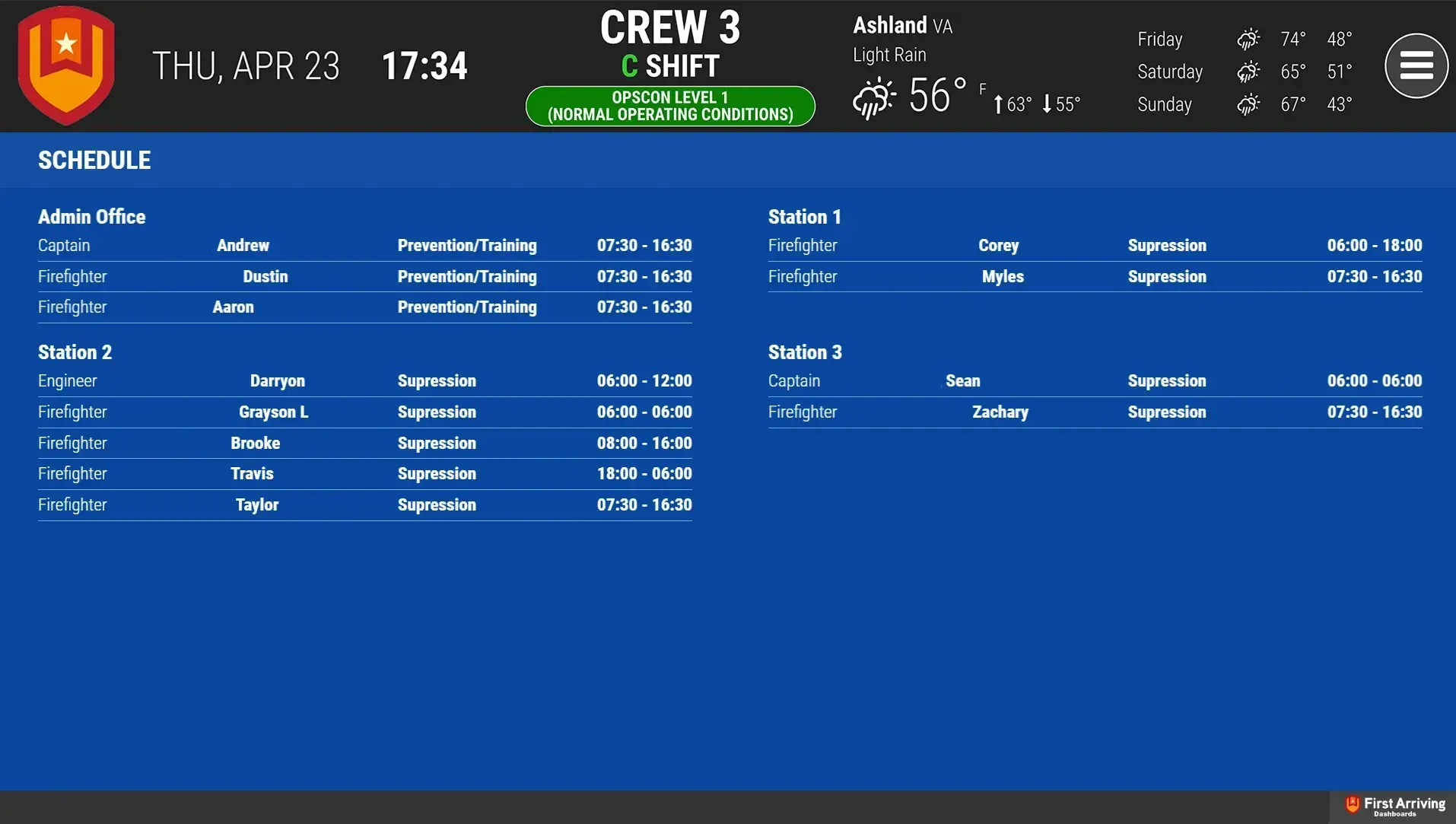
What Connects
Your inTime Scheduling data on the wall, desktop, and in every pocket.
Schedule
Up to 4 days: start time, end time, rank/position, assignment, and activity code.
Live in three steps.
01
Set up an inTime Web Service Account
Your system administrator creates this specifically for First Arriving, via inTime's User Setup.
02
Send us your ORG ID, username, and password
03
Additional Note
Data or API access could carry an additional charge. This is determined by the vendor, not by First Arriving.
Support Center
Full setup details for inTime Scheduling