
 ACTIVE INTEGRATION
Locution Systems Inc. + First Arriving
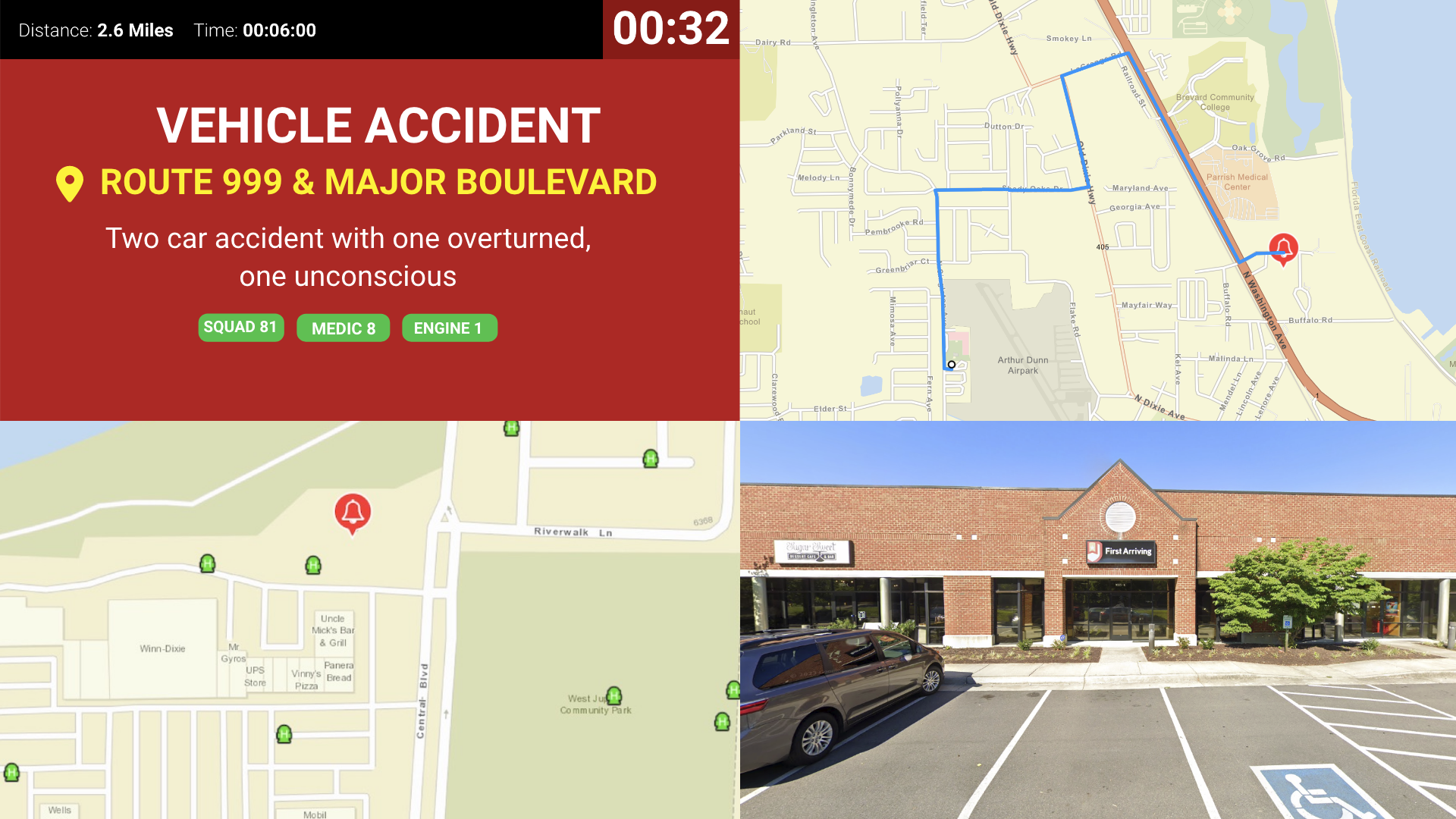
First Arriving's integration with Locution Systems expands your station alerting by displaying dispatch information to all of your connected dashboards in real-time! In addition to showing your calls, you can also show all unit status for units within your department and even neighboring departments.
What Connects
Your Locution data on the wall and desktop.
Real-time dispatch data
Nature of call, address, units dispatched, and call notes.
Unit status display
Unit name, current status (dispatched, enroute, at scene, etc.), and last known location.
Dashboard display customization
Show data 24/7 or on a dedicated alert page, with multiple alarm layout options and custom alert sounds.
Flexible mapping options
Support for public or private ESRI layers.
Sample Views
See it on the dashboard.
Live in five steps.
Be a current Locution customer
Gather your department details
Your timezone and a bounding box of latitude/longitude coordinates (north, south, east, west) marking your jurisdiction. This tells the mapping provider where to look when converting addresses.
Map your incident codes
A human-readable description for each code (e.g. VF → Vehicle Fire, 7811 → Building Rescue).
Contact Locution's Customer Success team
They'll provide First Arriving everything needed to integrate.
Additional Note
Data or API access could carry an additional charge. This is determined by the vendor, not by First Arriving.
Support Center
Full setup details for Locution Systems Inc.