
 ACTIVE INTEGRATION
Microsoft Outlook 365 + First Arriving
First Arriving puts your Microsoft Outlook 365 calendar events on screens in your stations, workplaces and offices, on desktops and on the go, in an easy-to-read calendar view: shift schedules, meetings, training, public events and leadership availability. Events update based on Microsoft API updates.
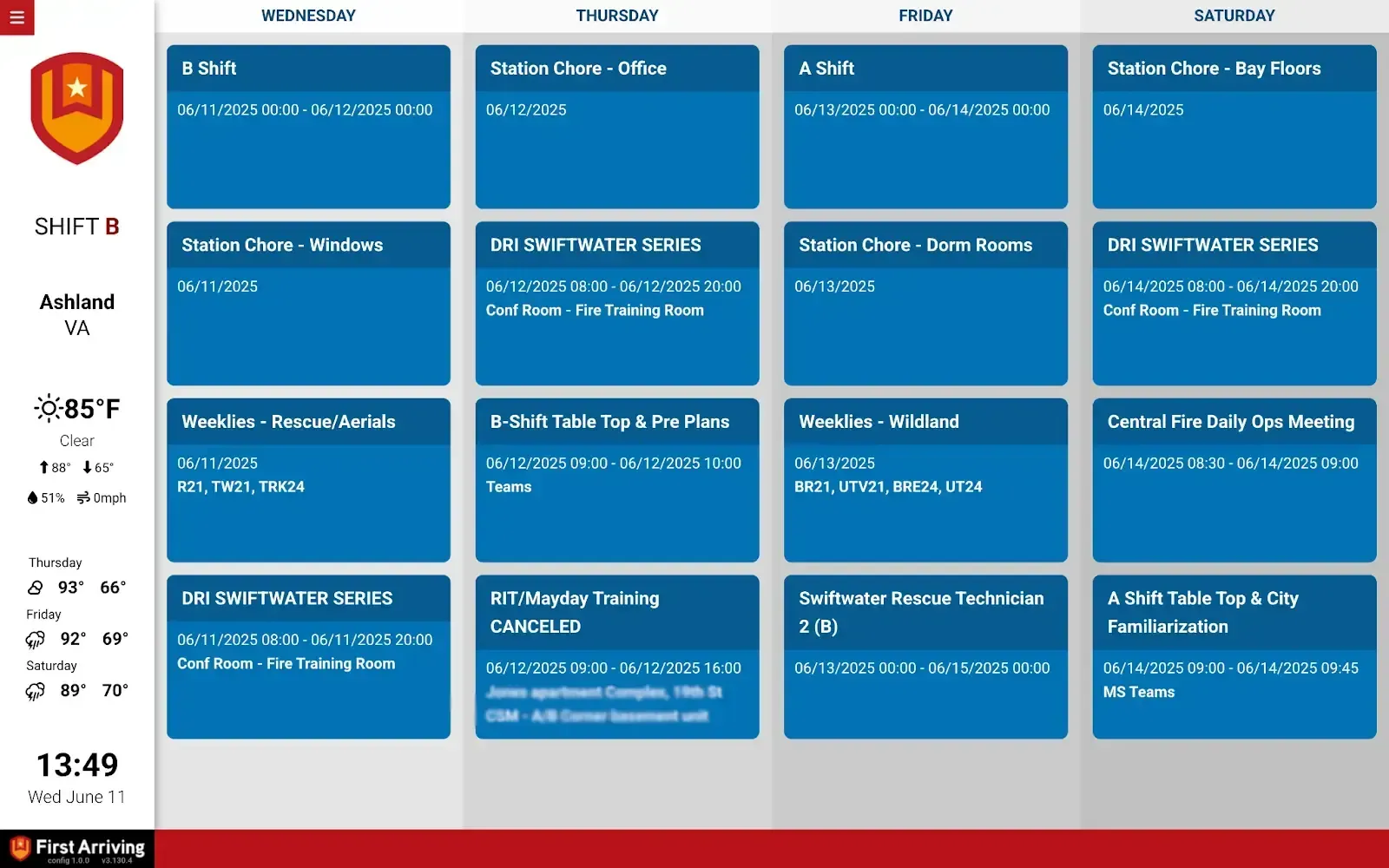
✅ Supports single-day, multi-day, multi-week and month-long views
✅ Connects to one or more individual user calendars
✅ Events update based on Microsoft API updates
✅ Optional keyword-based color coding or full calendar color themes (e.g replace blue w/ another color)
✅ Combine multiple calendars into one page or multiple
What Connects
Your Microsoft Outlook 365 data on the wall, desktop, and in every pocket.
Multiple view formats
Single-day, multi-day, multi-week, and month-long views.
Multi-calendar support
Connects to one or more individual user calendars.
Automatic updates
Events update based on Microsoft API updates.
Custom color coding
Keyword-based color coding or full calendar color themes.
Combine calendars
Merge multiple calendars into one page, or spread them across several.
Show calendars for
Staffing, upcoming training, upcoming events, and upcoming public education (PubEd) events.
Date ranges and views
Current day, one, two, or three weeks, or the full month, plus any of the view options available for Google Calendar.
Sample Views
See it on the dashboard.
Live in two steps.
Send us your Microsoft Graph API credentials
Client ID, Client Secret, Tenant ID, and the calendar user email address.
Additional Note
We don't support group or externally shared calendars at this time, because group calendars are owned by a group instead of a single user.
Frequently asked questions
What views can we use?
Single-day, multi-day, multi-week and month-long views, with date ranges from the current day to one, two or three weeks or the full month. Connect one or more user calendars, combine them on one page or several, and add keyword-based color coding or full color themes.
What setup is needed?
Send us your Microsoft Graph API credentials: Client ID, Client Secret, Tenant ID, and the calendar user email address. Events then update based on Microsoft API updates.
Can we use group or shared calendars?
Not at this time. Group calendars and externally shared calendars aren't supported; it connects to individual user calendars.
Support Center
Full setup details for Microsoft Outlook 365