
 ACTIVE INTEGRATION
Stationwise + First Arriving
First Arriving integrates with Stationwise to pull your department's roster data, so your staffing information stays available on your First Arriving dashboards without manual entry.
What Connects
Your Stationwise data on the wall, desktop, and in every pocket.
Roster table
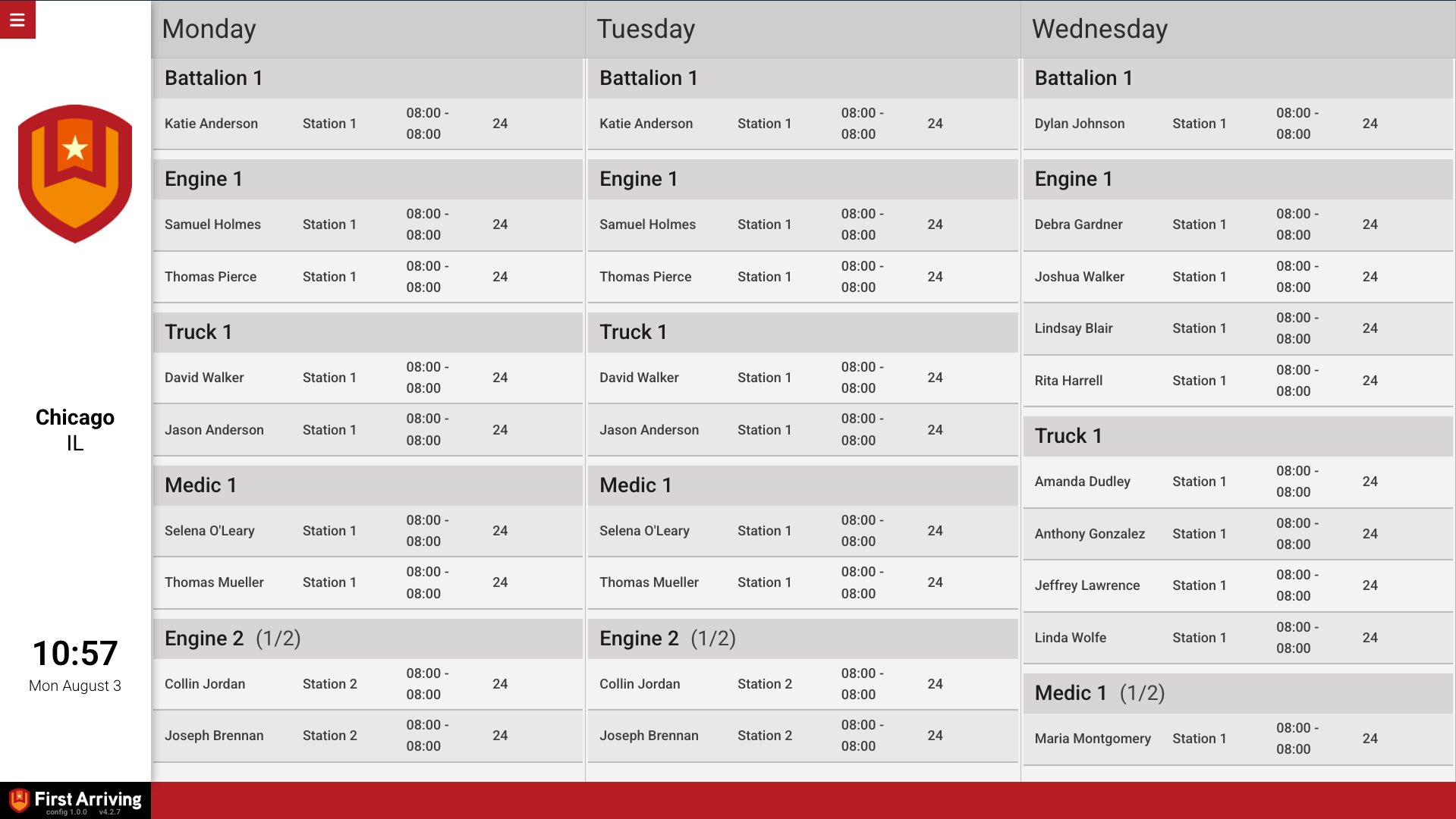
A compact grid: flat list, or grouped by apparatus/unit, station, or rank. Choose the columns and sort order.
Roster cards
One card per person: a condensed "schedule" style (several per row) or a larger detailed style with header, body, and footer.
Fields you can display
Name, employee ID, unit/apparatus, station, shift times, scheduled hours, and rank. Labels can be renamed to match your department.
Days covered
Today's roster, up to 5 days shown day by day, or a future day to preview tomorrow's staffing.
Sample Views
See it on the dashboard.
Live in three steps.
Create a Stationwise API key
In Stationwise, go to Settings → Administration → Integrations and select Create API Key.
Send us your API key
Submit it through the First Arriving Secrets Tool, then send us the link it generates via a support ticket.
We enable the integration
Once enabled, we pull your roster data automatically.
Support Center
Full setup details for Stationwise