
 ACTIVE INTEGRATION
Sun Ridge Systems + First Arriving
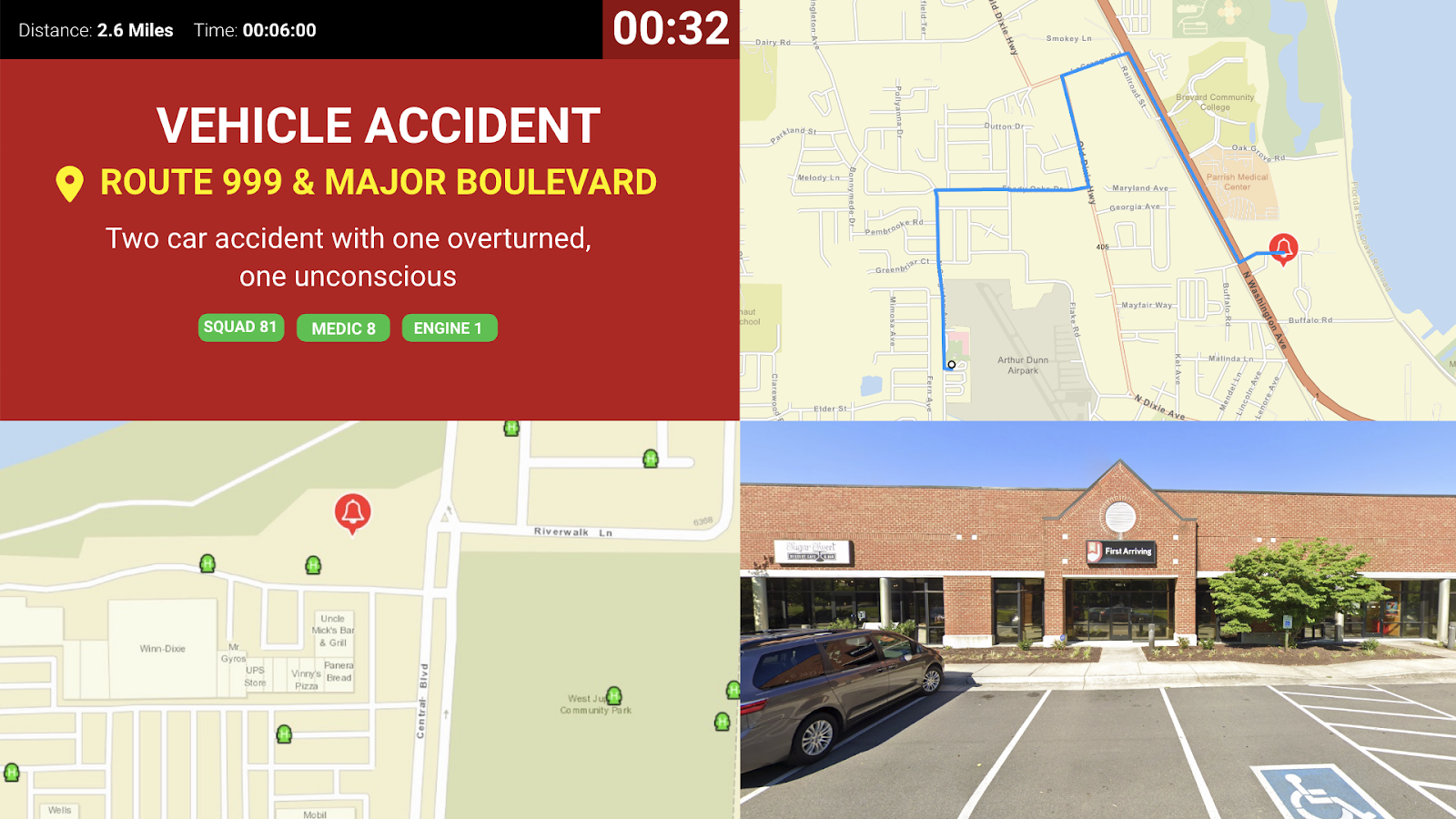
First Arriving integrates with Sun Ridge Systems' CAD to display real-time active calls on your dashboards: incident type, address, and responding units, the moment a call drops.
What Connects
What connects
Real-time call display
Incoming incidents from Sun Ridge CAD appear on your dashboard as soon as they’re dispatched.
Call type and address
Each alert carries the incident type and address, so crews get the full picture at a glance.
Responding units
Units dispatched to the call are shown alongside the incident.
Sample Views
See it on the dashboard.
Live in three steps.
01
We issue you an API token
First Arriving generates a token for your agency.
02
Configure Sun Ridge CAD to forward alerts
Your Sun Ridge Systems administrator uses that token to have your CAD forward alert data to First Arriving.
03
We enable the integration
Once alerts are flowing, your dashboards start showing live calls automatically.
Support Center
Full setup details for Sun Ridge Systems