
 ACTIVE INTEGRATION
Vector LMS + First Arriving
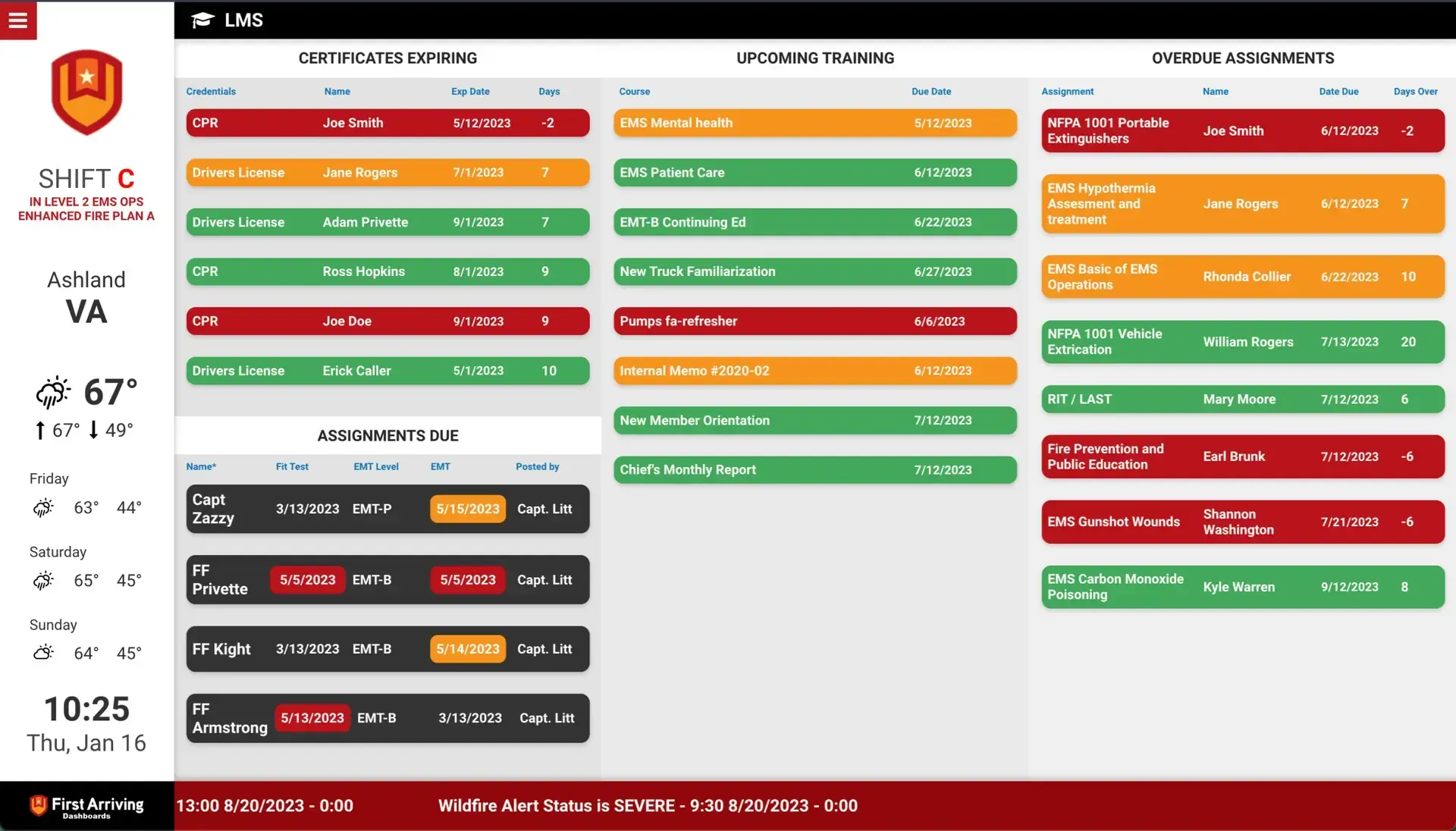
First Arriving puts your Vector LMS training data on screens in your stations, workplaces and offices, on desktops and on the go: who is behind on which assignments, certifications already expired or coming up, and upcoming courses for each team member, so a lapse is visible before it matters.
What Connects
Your Vector LMS data on the wall, desktop, and in every pocket.
Daily incomplete assignments
Who is behind, on what: name, course name, due date, and days due.
Certifications and expirations
Both already expired and coming up, so a lapse is visible before it matters.
Upcoming courses by person
Per team member: name, course name, and due date.
Sample Views
See it on the dashboard.
Live in two steps.
Send us your account information
We'll request your account details and API key during setup. Vector provides both to you.
Additional Note
Data or API access could carry an additional charge, determined by Vector Solutions and not by First Arriving.
Frequently asked questions
What shows on the dashboards?
Daily incomplete assignments with name, course name, due date and days due; certifications and expirations; and upcoming courses by person with name, course name and due date. At a glance, you see who is behind, on what.
Will it flag expiring certifications?
Yes. It shows certifications that have already expired and ones coming up, so a lapse is visible before it matters.
What setup is needed?
We'll request your account details and API key during setup; Vector provides both to you. Data or API access could carry an additional charge, determined by Vector Solutions, not First Arriving.
Support Center
Full setup details for Vector LMS