
 ACTIVE INTEGRATION
Temp Stick Sensors + First Arriving
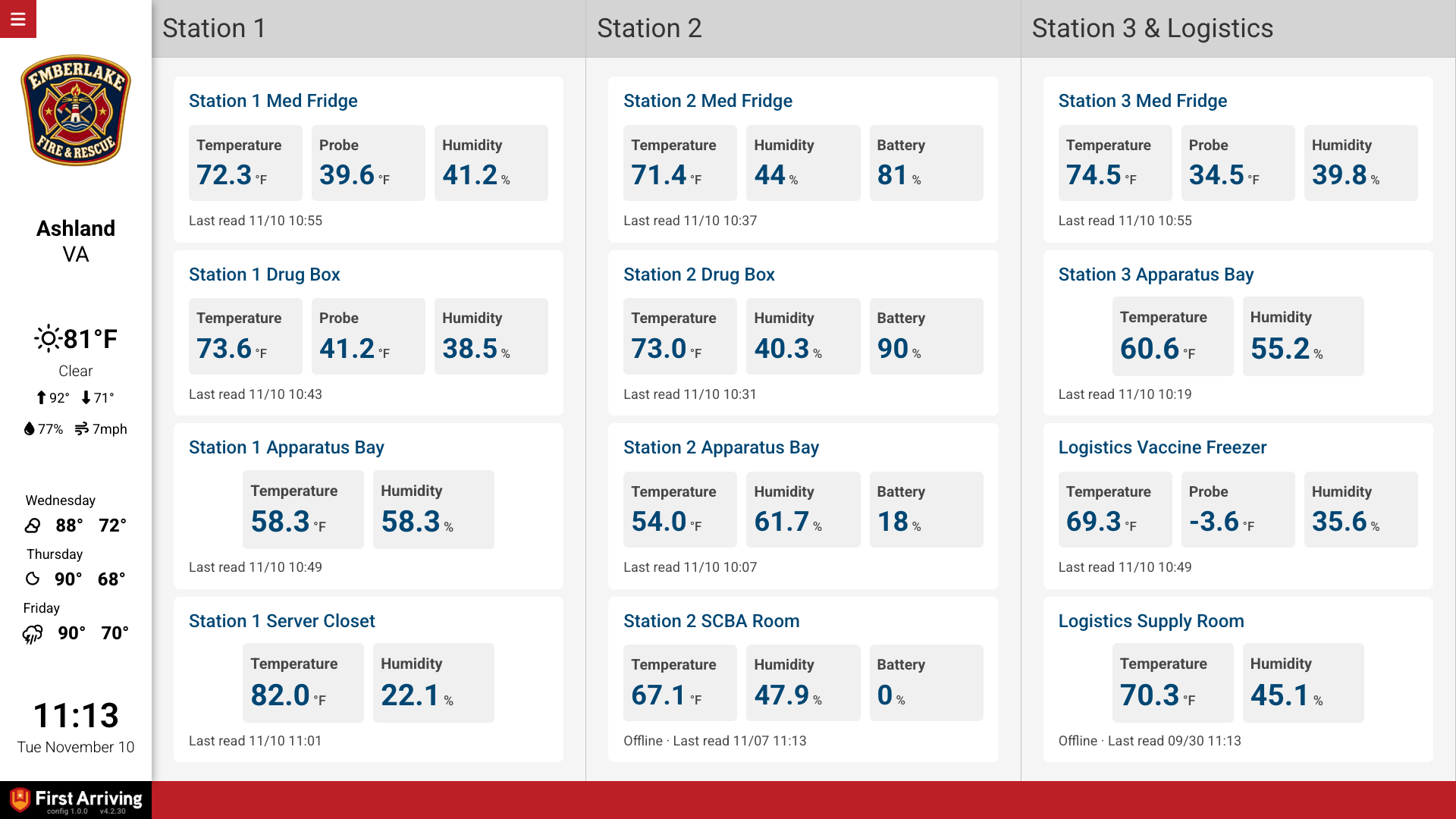
Keep an eye on medication fridges, drug boxes, freezers and apparatus bays from your First Arriving dashboard. Temp Stick shows the latest reading from every wireless sensor, so crews can spot a problem before it becomes one.
What Connects
What Connects
Watch every fridge, freezer and bay
See the latest temperature from each Temp Stick sensor in °F or °C, plus probe readings from sensors with an external probe, such as a buffer bottle inside a medication fridge.
Catch out-of-range temperatures at a glance
Color temperatures against a safe range you choose, green when in range, blue when too cold and red when too warm.
Know which sensors have gone quiet
Online and offline status is marked in green and red, with the last time each sensor checked in.
Track humidity and battery life
Humidity and battery level appear for every sensor, with batteries colored green, yellow or red so low ones stand out.
Pick a table or big-number cards
Use a sortable table grouped by status, or one easy-to-read card per sensor grouped by station or location.
Show only the sensors that matter
Display every sensor or just the ones you pick, hide spares and backups, and split sensors across pages or columns by station.
Sample Views
See it on the dashboard.
Live in three steps.
Get your Temp Stick API key
Ask your contact at Temp Stick how to get an API key for your account.
Send us credentials
Share your API key with First Arriving securely.
Tell us how it should look
Let us know which sensors to show, which view you like and the safe ranges to color by.
Support Center
Full setup details for Temp Stick Sensors