
 ACTIVE INTEGRATION
Traccar + First Arriving
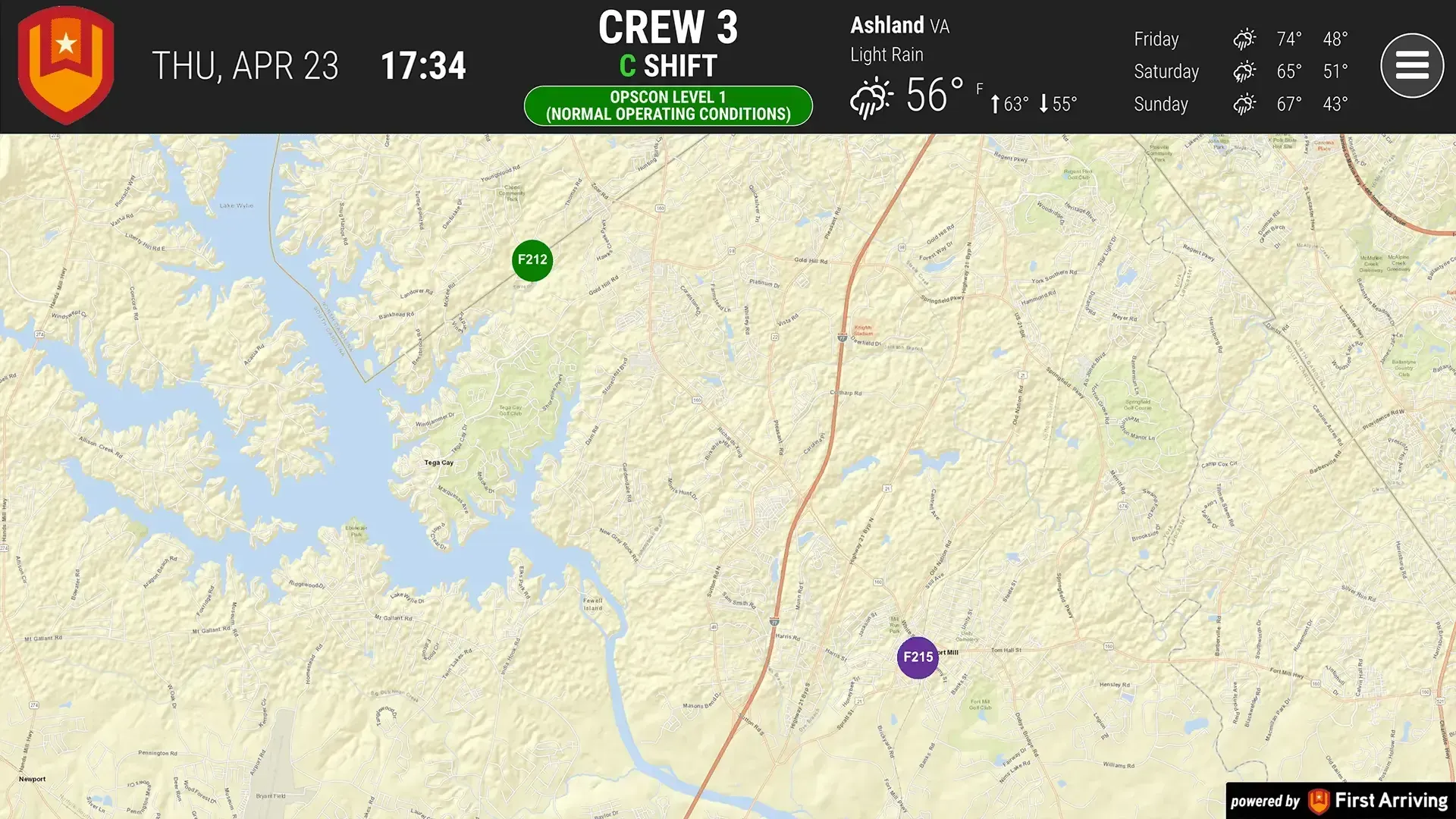
First Arriving puts your Traccar fleet on a map on screens in your stations, workplaces and offices, on desktops and on the go. All crews and personnel see the entire fleet at once: each unit's name and last known location, plotted on top of an ESRI map. Setup takes your Traccar account URL and API key.
What Connects
Your Traccar data on the wall, desktop, and in every pocket.
Vehicle Tracking
Name of Unit
Last known location of the vehicle
Icons are plotted on top of ESRI map
Live in three steps.
Send us your Traccar account URL
Send us your API key
To access the API.
Additional Note
Data or API access could carry an additional charge. This is determined by the vendor, not by First Arriving.
Frequently asked questions
Which vehicles show up on the map?
The entire fleet. Each unit appears with its name and last known location, plotted as an icon on top of an ESRI map.
What do you need from us to set it up?
Two things: your Traccar account URL and your API key, which gives First Arriving access to the API. Data or API access could carry an additional charge, set by the vendor, not by First Arriving.
Who can see the fleet map?
All crews and personnel. The map runs on your Digital Dashboards, on screens in your stations, workplaces and offices, on desktops and on the go.
Support Center
Full setup details for Traccar