
 ACTIVE INTEGRATION
Traffic Cams + First Arriving
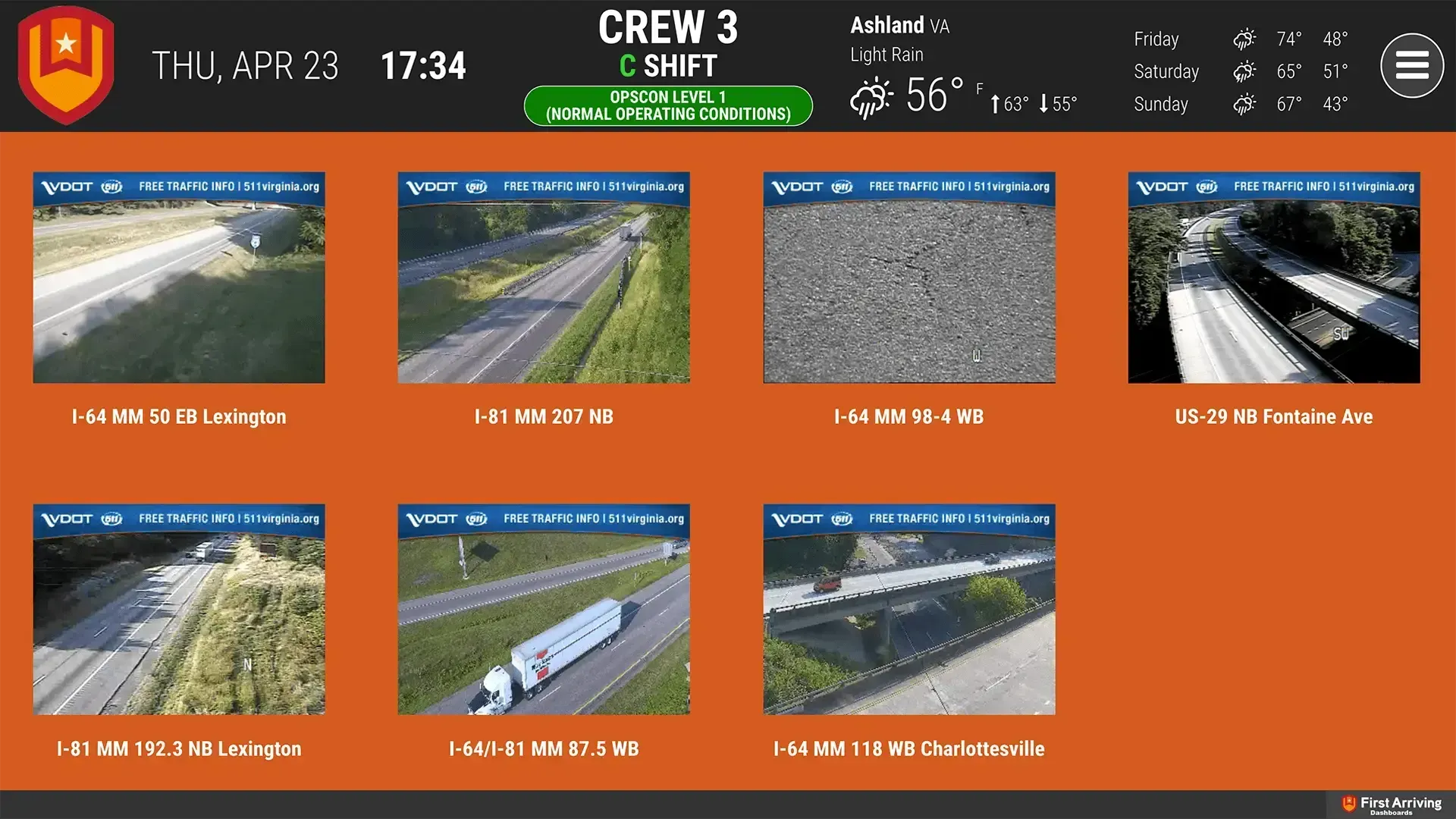
First Arriving puts your county or city public traffic cams on screens in your stations, workplaces and offices, on desktops and on the go, showing the last picture each camera captured, or its video where applicable. Cameras must be publicly available, and some can't be integrated.
What Connects
Your Traffic Cams data on the wall, desktop, and in every pocket.
Displays the last picture the camera captured
Displays the video of the camera (if applicable)
Live in two steps.
01
The URL of the specific camera that pertains to you.
02
Important to note that some cameras are NOT able to be integrated.
Frequently asked questions
What shows on the dashboards?
The last picture the camera captured. It can also display the camera's video, if applicable.
Which cameras can we use?
Your county or city public traffic cams, if they're publicly available. Some cameras are not able to be integrated.
What setup is needed?
Send us the URL of the specific camera that pertains to you. Only publicly available cams can be connected.
Support Center
Full setup details for Traffic Cams