
 ACTIVE INTEGRATION
Tyler Technologies + First Arriving
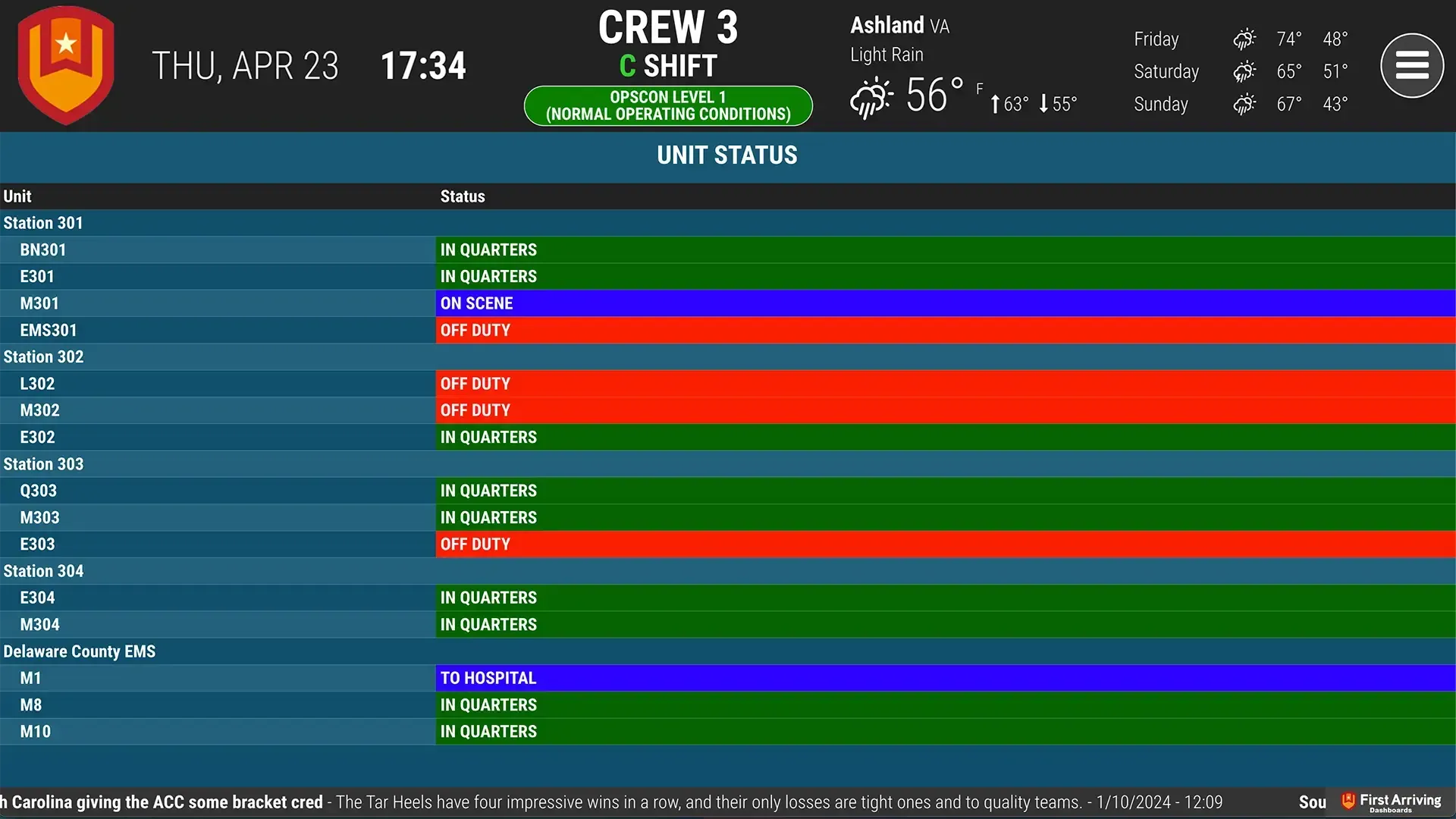
First Arriving's integration with Tyler Technologies, New World Enterprise CAD Standard Exporter, allows your Unit Status to be shown directly on the dashboards without the need for manual entry. Having this information at a glance allows for improved situational awareness among all crews on shift.
What Connects
Your Tyler Technologies data on the wall, desktop, and in every pocket.
Unit status display
Dedicated page within content rotation, or static on the dashboard while other content rotates.
Optional color coding for different statuses
Unit view
Unit name and status (en route, on scene, dispatched, etc.).
Neighboring department units
Can show units from neighboring departments for additional awareness.
Sample Views
See it on the dashboard.
Live in three steps.
Confirm you have Tyler New World CAD with the Enterprise CAD Standard Exporter
Your dispatch center has it, or is purchasing it.
Set up an automated XML export
Sent to a location we'll provide.
Additional Note
Data or API access could carry an additional charge. This is determined by the vendor, not by First Arriving.
Support Center
Full setup details for Tyler Technologies