
 ACTIVE INTEGRATION
US Digital Designs by Honeywell + First Arriving
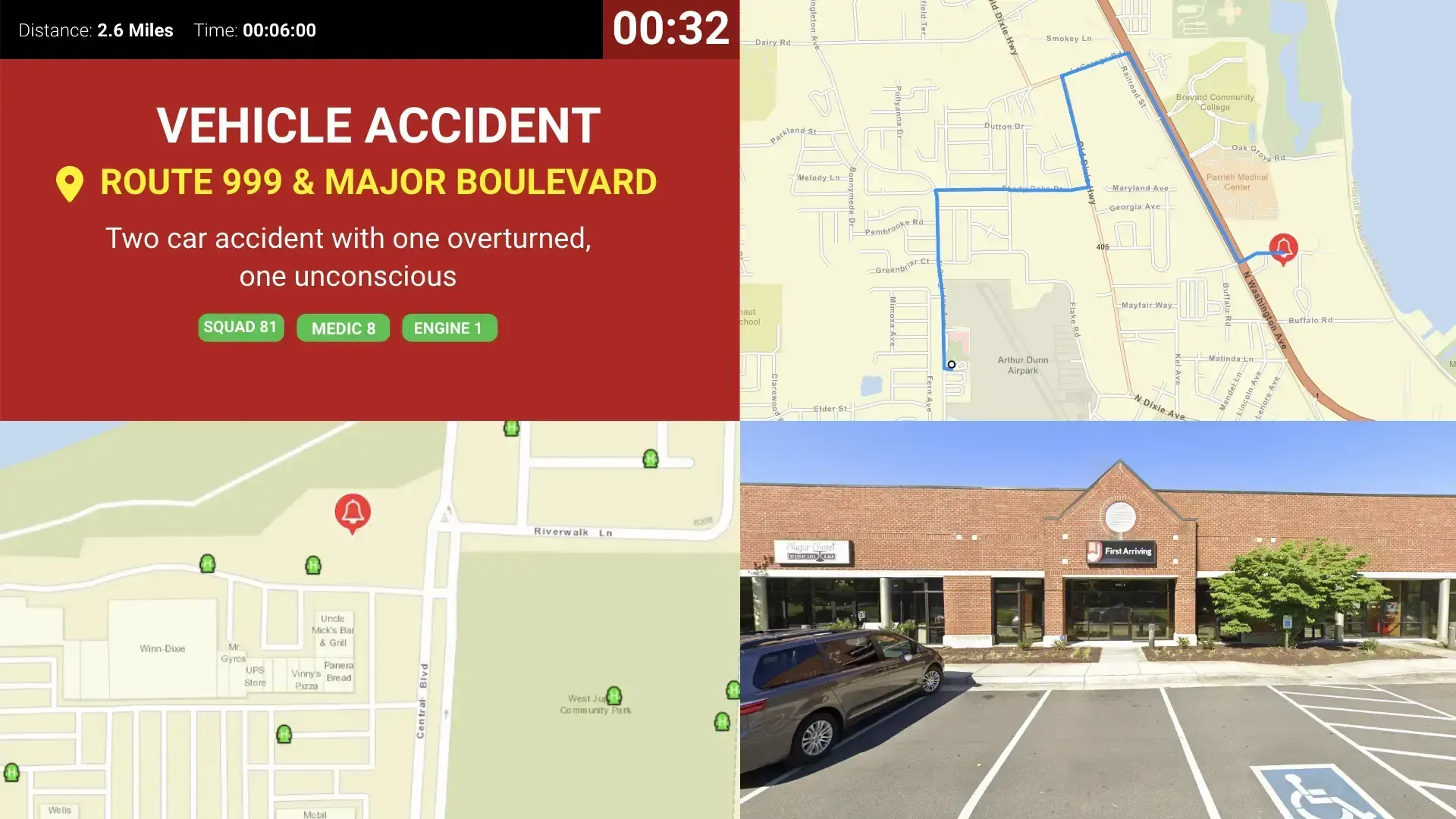
First Arriving’s integration with USDD by Honeywell allows their innovative technology to push the active dispatch details to your First Arriving Dashboards in realtime, syncing up with the Station Alerting solutions you have in place. All of First Arriving’s alarm screens are an option for users and they are detailed below!
What Connects
Your USDD by Honeywell data on the wall and desktop.
Real-time call dispatch
Nature of call, address, units dispatched, call notes, and personnel responding.
Turnout timer & ETA
Turnout timer plus ETA and distance to the scene.
Mapping & directions
Hydrants and other data, Google Street View, and ESRI layers from your GIS department.
Custom alert sounds
Sample Views
See it on the dashboard.
Live in three steps.
Tell us which alarm screen you want
Open a ticket at our support center and tell us which layout you want, using the examples below or the full list.
We send you the API key securely
We generate the key on our side and provide it to you securely through your ticket.
Pass the key to your USDD representative
Once USDD has the key in place, your dispatch data starts reaching us and we can build your screens.
As a reminder, our platform is developed for secondary notification of alarms and situational awareness. You should always rely on your CAD/Dispatch Center for primary dispatch information.
Support Center
Full setup details for US Digital Designs by Honeywell