
 ACTIVE INTEGRATION
Vector Check It™ & Halligan + First Arriving
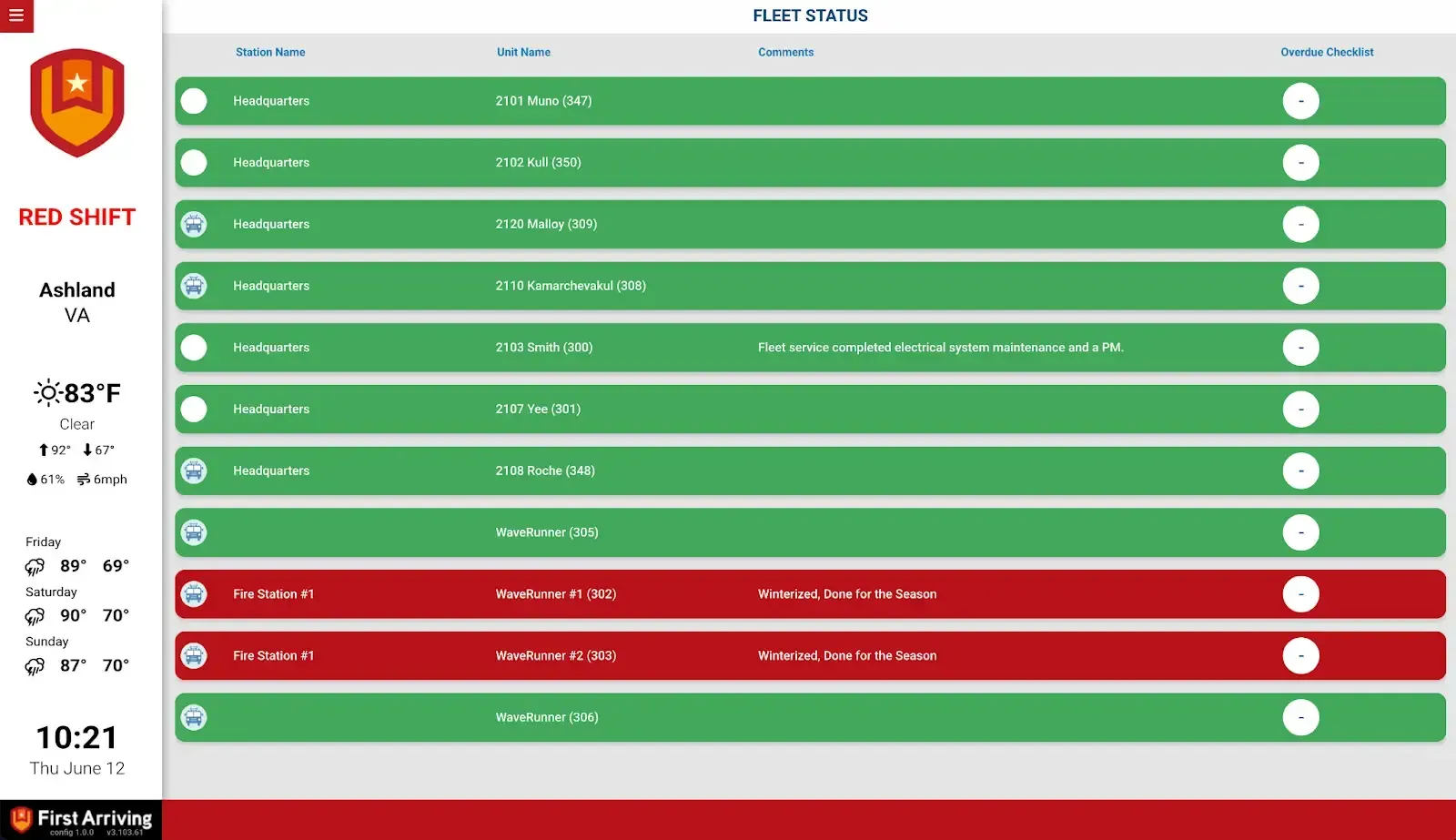
First Arriving puts Vector Check It™ & Halligan fleet and equipment status on screens in your stations, workplaces and offices, on desktops and on the go: each unit's in- or out-of-service status, overdue checklists and open work orders, plus equipment status and inspection status.
What Connects
Your Vector Check It™ & Halligan data on the wall, desktop, and in every pocket.
Fleet and apparatus status
Unit image, name, and status (in or out of service), plus overdue checklists and open work orders per unit.
Equipment status
Name, make and model, status, and inspection status.
Sharing between agencies
In-service and out-of-service status can be shared with other agencies who also use First Arriving dashboards, subject to permissions.
Live in three steps.
Create the dedicated user
In Check It, add a new user named First Arriving under User Management. Nobody may ever log into this account, or the integration breaks and a new token has to be requested. It doesn't count against your user maximum.
Ask the Check It team for the token
Send a request to your Vector Check It point of contact asking for an authentication token for the First Arriving user.
Send us the token
Your department name and the authentication token.
Frequently asked questions
What shows on the dashboards?
For each unit: image, name, in- or out-of-service status, overdue checklists and open work orders. For equipment: name, make and model, status and inspection status.
Can we share apparatus status with neighboring agencies?
Yes. In-service and out-of-service status can be shared with other agencies that also use First Arriving dashboards, subject to permissions.
What setup is needed?
Add a user named First Arriving under User Management in Check It; it doesn't count against your user maximum, and nobody may ever log into it or the integration breaks. Ask your Vector Check It point of contact for that user's authentication token, then send us your department name and the token.
Support Center
Full setup details for Vector Check It™ & Halligan