
.png) ACTIVE INTEGRATION
ACTIVE INTEGRATIONVector Solutions + First Arriving
Vector Solutions’ public-safety suite, integrated with First Arriving: training (Vector LMS & Acadis), scheduling (formerly CrewSense), and inspections (Check It).
What Connects
Your Vector Solutions data on the wall, desktop, and in every pocket.
Vector LMS
Training assignments, certifications, and course schedules on your dashboard.
What Connects
Daily incomplete assignments
Who is behind, on what: name, course name, due date, and days due.
Certifications and expirations
Both already expired and coming up, so a lapse is visible before it matters.
Upcoming courses by person
Per team member: name, course name, and due date.
Steps
Send us your account information
We'll request your account details and API key during setup. Vector provides both to you.
Additional Note
Data or API access could carry an additional charge, determined by Vector Solutions and not by First Arriving.
See It In Action
Vector Scheduling™ (formerly CrewSense)
Your roster for yesterday, today, and tomorrow, grouped by unit.
What Connects
Roster views
Single-day and multi-day views (yesterday, today, tomorrow), grouped by schedule name and unit, with optional positions or roles, custom color coding, and the ability to show or hide entries per schedule.
Notes and announcements
Notes, activities, and announcements alongside the roster.
Steps
Create a Client ID and Secret Token
You can generate both inside the Vector Scheduling or CrewSense application, with no need to contact the vendor.
Send us your credentials
Your Client ID and Secret Token.
Additional Note
Data or API access could carry an additional charge, determined by the vendor and not by First Arriving.
See It In Action
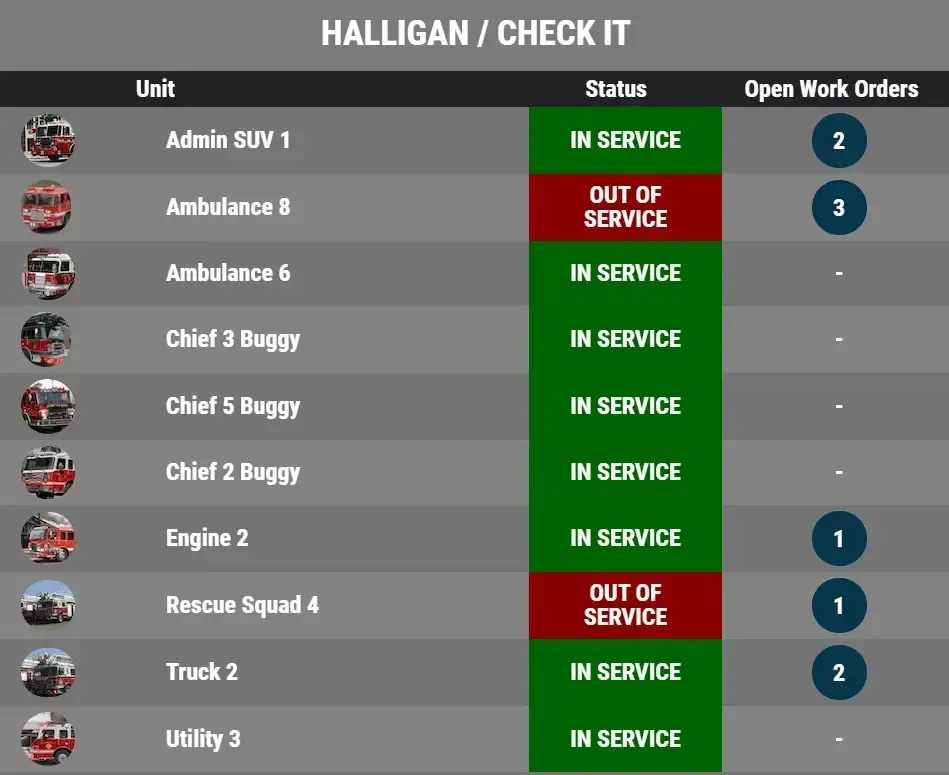
Vector Check It™ (formerly Halligan)
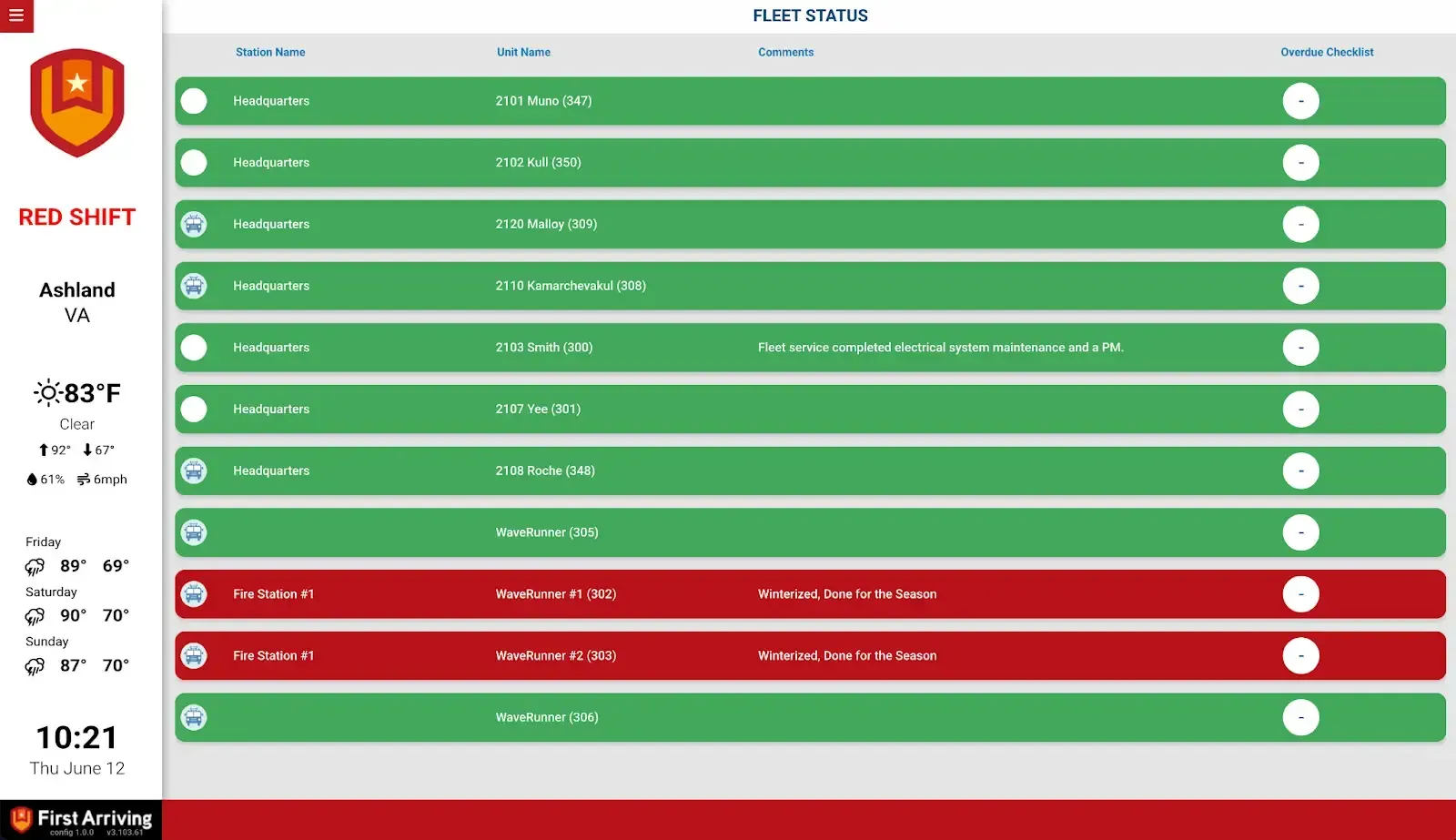
Fleet and equipment status, straight from Check It or Halligan.
What Connects
Fleet and apparatus status
Unit image, name, and status (in or out of service), plus overdue checklists and open work orders per unit.
Equipment status
Name, make and model, status, and inspection status.
Sharing between agencies
In-service and out-of-service status can be shared with other agencies who also use First Arriving dashboards, subject to permissions.
Steps
Create the dedicated user
In Check It, add a new user named First Arriving under User Management. Nobody may ever log into this account, or the integration breaks and a new token has to be requested. It doesn't count against your user maximum.
Ask the Check It team for the token
Send a request to your Vector Check It point of contact asking for an authentication token for the First Arriving user.
Send us the token
Your department name and the authentication token.
See It In Action
Acadis by Vector Solutions
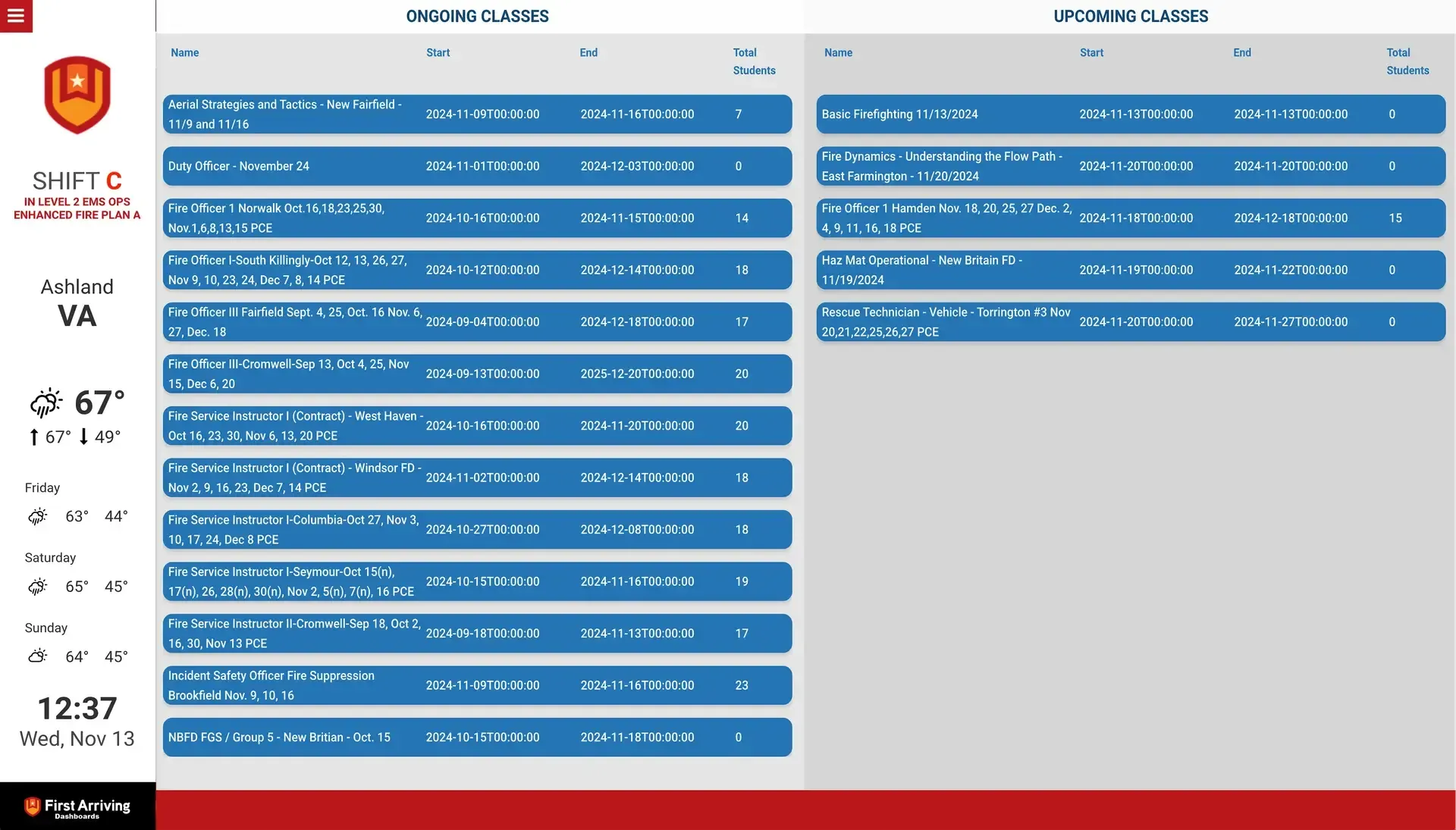
Class enrollment counts, current and upcoming, from Acadis.
What Connects
Current classes
Course name, start and end days/times, and total students enrolled.
Upcoming classes
The same detail ahead of time: how many have signed up, and when.
Steps
You'll need an Acadis by Vector Solutions account
Request API credentials from your Acadis rep
Additional Note
Data or API access could carry an additional charge. This is determined by the vendor, not by First Arriving.
See It In Action
Support Center
Full setup details for Vector Solutions