
 ACTIVE INTEGRATION
Water Rescue Conditions + First Arriving
Bring water rescue conditions onto your First Arriving station screens, so crews can see conditions relevant to water operations alongside the rest of their dashboard.
What Connects
What Connects
Water rescue conditions on your station screens
Display water rescue conditions right on the dashboards your crews already watch.
Weather context for water operations
Keep conditions relevant to water operations in view as part of your station's weather picture.
Put it on the screens that need it
Choose which station screens show water rescue conditions, so the information reaches the crews who respond to water calls.
Set up by First Arriving
Our team configures the feed on your dashboards, so your crews can stay focused on the mission.
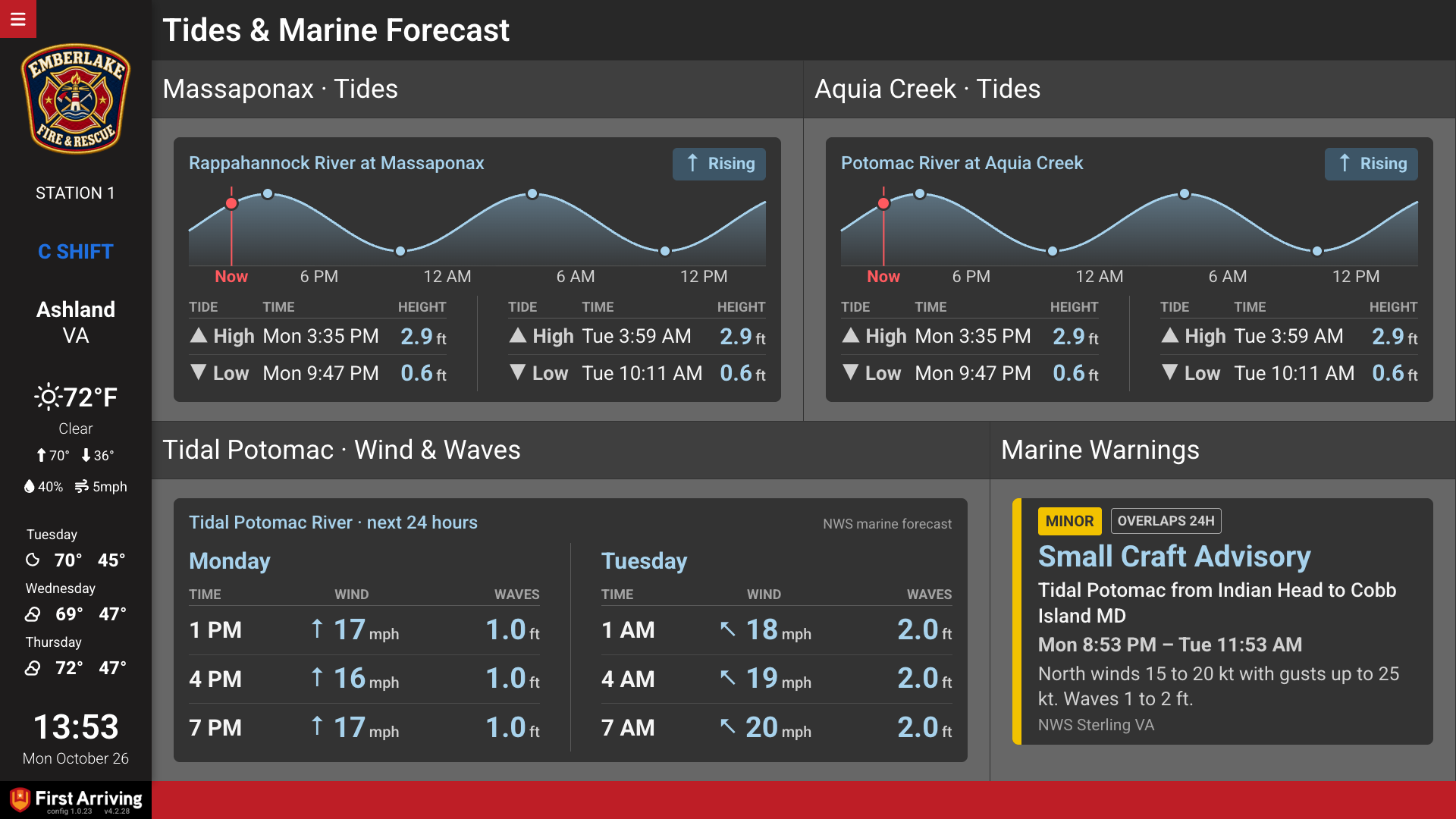
Sample Views
See it on the dashboard.
Live in three steps.
Tell us what you want
Let us know you'd like water rescue conditions on your dashboards.
Tell us where it goes
Name the station screens that should show it.
We set it up
Our team configures it and confirms when it's live on your screens.
Support Center
Full setup details for Water Rescue Conditions