Bring Your Own Data to Your First Arriving Dashboard
You can bring your own data into a First Arriving dashboard four ways: push it through our API, email a scheduled CSV, upload a CSV over SFTP, or connect or embed a page your own team built. Whatever the method, send only what the screen needs, use encrypted transfer, and keep the source data backed up and secure on your end.

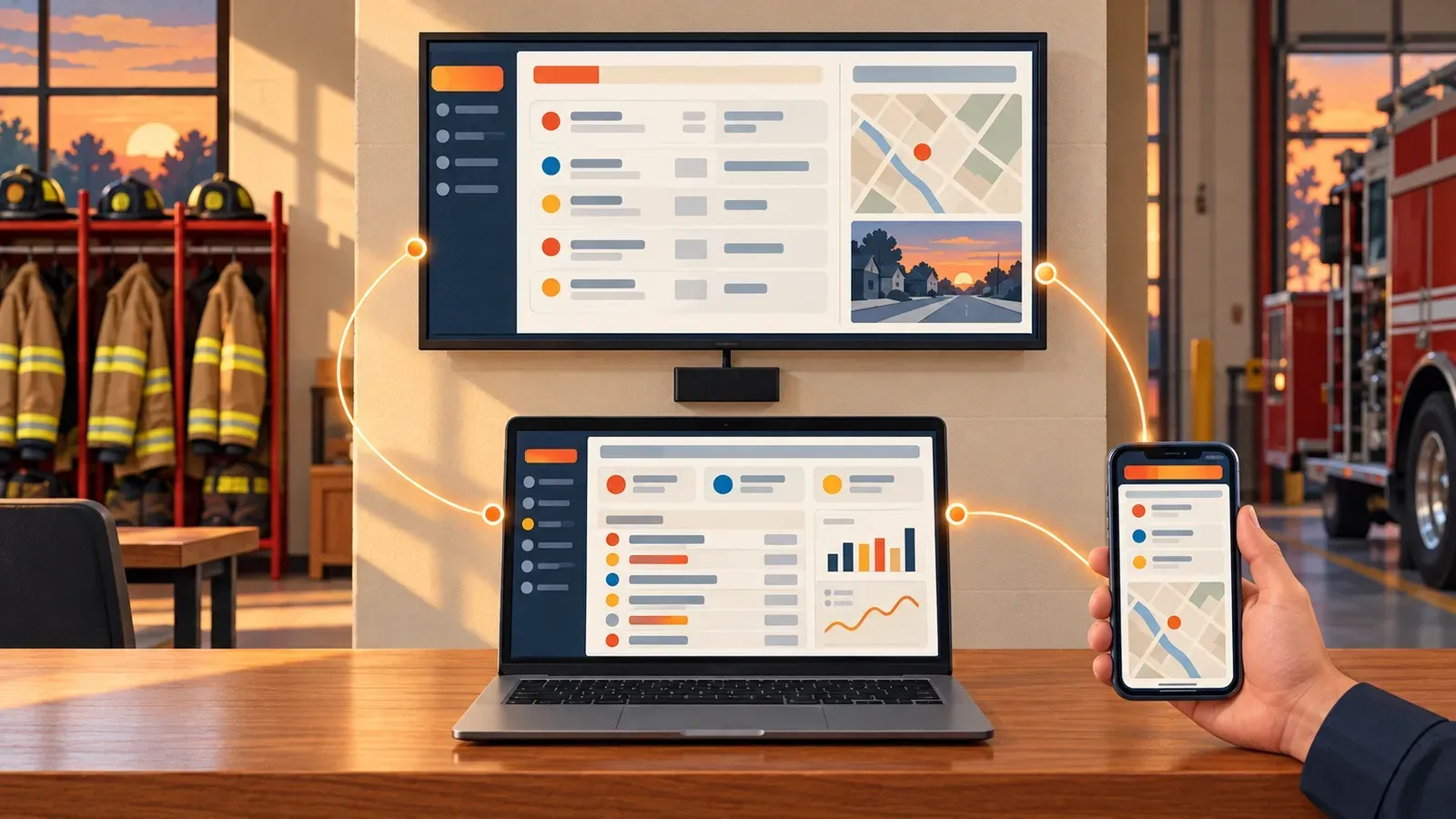
Push data through our API, send a CSV by email or SFTP, or bring your own homegrown dashboards, and see it all on the wall, the desktop and the phone.
Every department has information that lives outside its core systems. A spreadsheet of hydrant outages. A county feed of road closures. A training tracker someone built in a weekend. A small app your IT team wrote to show apparatus out of service. That information is often exactly what crews need to see, and it's usually stuck in one person's inbox or one browser tab.
First Arriving already connects with 140+ systems, from CAD to scheduling to records. But no list of integrations covers everything an agency runs. So we built several ways to bring your own data into your First Arriving dashboards, so it shows up on the station wall, on the desktop and in the mobile app alongside everything else.
Four ways to bring your own data
There's no single right method. The best one depends on where the data lives today, how often it changes and who maintains it.
1. Push it to us through our API
If your data lives in a system your team controls, such as an internal database, a records tool or a script, the API is the most reliable option. Your system sends updates to First Arriving as they happen or on a schedule, and the dashboard reflects them automatically. Nobody has to remember to update a slide.
API instructions:
2. Send a CSV by email
Plenty of useful data already exists as a spreadsheet export. If a system can email a CSV report on a schedule, it can feed your dashboard. We give your agency a dedicated email address to send it to. This is the fastest way to get started when there's no API on either end. It works best for data that changes daily or weekly rather than minute to minute.
3. Drop a CSV on SFTP
For larger files, more frequent updates or data your IT team would rather not send through email, a scheduled CSV upload over SFTP is the sturdier choice. We provide dedicated SFTP credentials for your agency. It's a standard, automatable transfer that most systems and IT departments already know how to support.
4. Bring your own dashboards and pages
More agencies are building their own tools. Sometimes it's an internal developer, sometimes a GIS analyst, and more and more often it's someone who "vibe coded" a useful page with an AI assistant. If you have a page or dashboard you've built in-house, we can bring it into your First Arriving experience. Depending on what it is, that might mean connecting to its data through an API or embedding the page directly in a dashboard view. Embedded pages need to be publicly reachable, because the display can't sign in to them, so only embed pages that are safe for anyone to see. Either way, your crews see it in the same place as everything else instead of in yet another browser tab.
One view on the wall, the desktop and the phone
The point is to put the information your members need where they'll actually see it, not to collect data for its own sake. Data you bring in can sit on the station TV next to incidents, rosters, weather and announcements. It can show on the desktop for officers and admin staff, and travel with members in the iOS and Android app. One source, every screen, without someone retyping the same update in three places.
Security comes first, whichever method you use
Bringing your own data means your agency is now part of the data pipeline. That's a good thing, but it comes with responsibilities. Before you connect anything, think through:
- What you're sending. Send only what the dashboard needs. Station displays are visible to anyone in the room, so leave patient information, personnel records and anything sensitive off the wall entirely.
- How it travels. Use encrypted transfer: the API over HTTPS, and SFTP rather than plain FTP. Email is convenient, but it's the least protected path, so keep emailed CSVs to non-sensitive operational data.
- Who holds the keys. Treat API keys and SFTP credentials like any other password. Give them to as few people as possible, store them in a password manager or secrets vault rather than a script or a shared document, and rotate them when someone leaves.
- What you embed. An embedded page has to be public to appear on the display, so anything on it is visible to anyone with the link. Keep internal or sensitive information out of embedded pages, and use the API for data that shouldn't be public.
- Who owns it. Every feed needs a named owner and a backup owner. When a CSV stops arriving or an API call starts failing, someone has to notice and fix it.
Homegrown tools deserve the same scrutiny you'd give a vendor. Who maintains it? Where is it hosted? Who has access, and what happens when the person who built it changes jobs? We wrote about these questions in How to Buy Public Safety Software, and they apply just as much to something your own team builds.
Your data should be safe on your end, too
This is the part agencies most often skip. Whether or not you send a feed to First Arriving, the data behind it belongs to your agency and should be protected by your agency. That means:
- The source system or spreadsheet is backed up on your side, on a schedule, with a copy you've actually tested restoring.
- Your homegrown tools have a real home, with access controls, updates and someone accountable, not just a laptop or a personal account.
- The original records stay accessible to your agency for its own processes, reporting and retention requirements, no matter which tools display them.
A dashboard is a window onto your information, not the vault for it. Keep the vault secure, backed up and in your control, and every screen that draws from it will be more trustworthy.
What we'll need to get started
To connect your data, our team will ask for a few details:
- What the data is and where it lives today.
- Your preferred method: API, emailed CSV, SFTP CSV or an embedded page. For email and SFTP, we'll set up your dedicated address or credentials.
- How often it changes and how fresh it needs to be on screen.
- Which dashboards, stations or roles should see it.
- A named owner on your side for the feed, plus a backup.
- For embedded pages: the public URL. Embeds can't sign in, so the page must be viewable without a login.
- A mockup or example of how you'd like the data to look on screen, even a quick sketch or screenshot.
Ready to bring your own data to the wall? Talk with your First Arriving customer success contact or reach out to our team, and we'll help you pick the right method.
Frequently asked questions
Which method should we use to bring our own data into First Arriving?
Use the API when the data lives in a system your team controls and changes often. Emailed CSVs are the quickest start for daily or weekly reports, and SFTP suits larger or more frequent files. Pages your team built can be connected through an API or embedded.
Is it safe to email data to our dashboard?
Email is the least protected transfer method, so keep emailed CSVs to non-sensitive operational data. Use the API over HTTPS or SFTP for anything more sensitive, and never put patient or personnel information on a station display.
Do we still need to back up data we send to First Arriving?
Yes. A dashboard displays your information; it isn't the system of record. Keep the source data backed up, access-controlled and available to your agency on your own systems, whether or not you send it to us.
About the author
Dave Iannone
Founder & Chief Product Officer
Founder of Firehouse.com and Firefighter Nation, a veteran entrepreneur and lifelong first responder and leader.